Virgo Case Study
Music Discovery App • Neumorphic Design Exploration
The Problem.
The algorithm isn't discovering music for you. It's recycling it.
Streaming platforms have perfected the art of keeping you comfortable. Recommendation engines are built on engagement metrics and advertising revenue optimized to serve you more of the same. The result is a feedback loop: familiar sounds resurface, trending artists dominate, and the library shrinks around your listening history. Music discovery has quietly become music repetition.
The GOAL.
There are musicians playing in venues near you, releasing tracks on Bandcamp, building small but devoted followings, and the algorithm will never surface them. The goal is to design an experience that bridges the gap between local artists who deserve a wider audience and listeners who are genuinely open to finding something new.
The CONCEPT.
Virgo: for the music nerd in all of us
Named after the zodiac sign known for its love of research and informed decision-making, Virgo is a music discovery app that does the legwork for you, surfacing local artists, matching recommendations to your real taste, and giving you the context to actually care about what you hear next.
Target Audience
Primary user
The Music Lover
Music is a central part of their identity, not background noise. They're tired of Spotify serving them the same rotation. They collect vinyl, go to shows, ask friends for recommendations, and fall into YouTube rabbit holes at midnight. They're curious but time-poor. They want to do the digging but don't always have the bandwidth — which is exactly where Virgo steps in.
Secondary user
The Casual Fan
They're people who don't identify as music nerds but are aware their playlists have gone stale. They're not going to seek out a Bandcamp page on their own, but they are willing to follow a recommendation if it feels trustworthy and personal. Virgo can pull them in with the approachability of the "friend who did the research" framing.
4 User Insights
Time
They don’t have the time or the tools to adequately research and discover new music.
Discovery
They're interested in exploring their local music scene, but don’t know where to start.
Community
They want to share the concert going experience with a close friend or group of friends.
Authenticity
They enjoy supporting local artists & find those experiences to be more meaningful.
User Testing / Key Wireframes
Virgo was first tested as a low-fidelity prototype. Testing was conducted with a group of 10 real users across a range of music listening habits, from casual fans to active show-goers. Sessions were task-based: find a show near you, browse by genre, save a venue, check your notifications. The findings shaped several significant decisions before a single high-fidelity frame was made.
Feed.
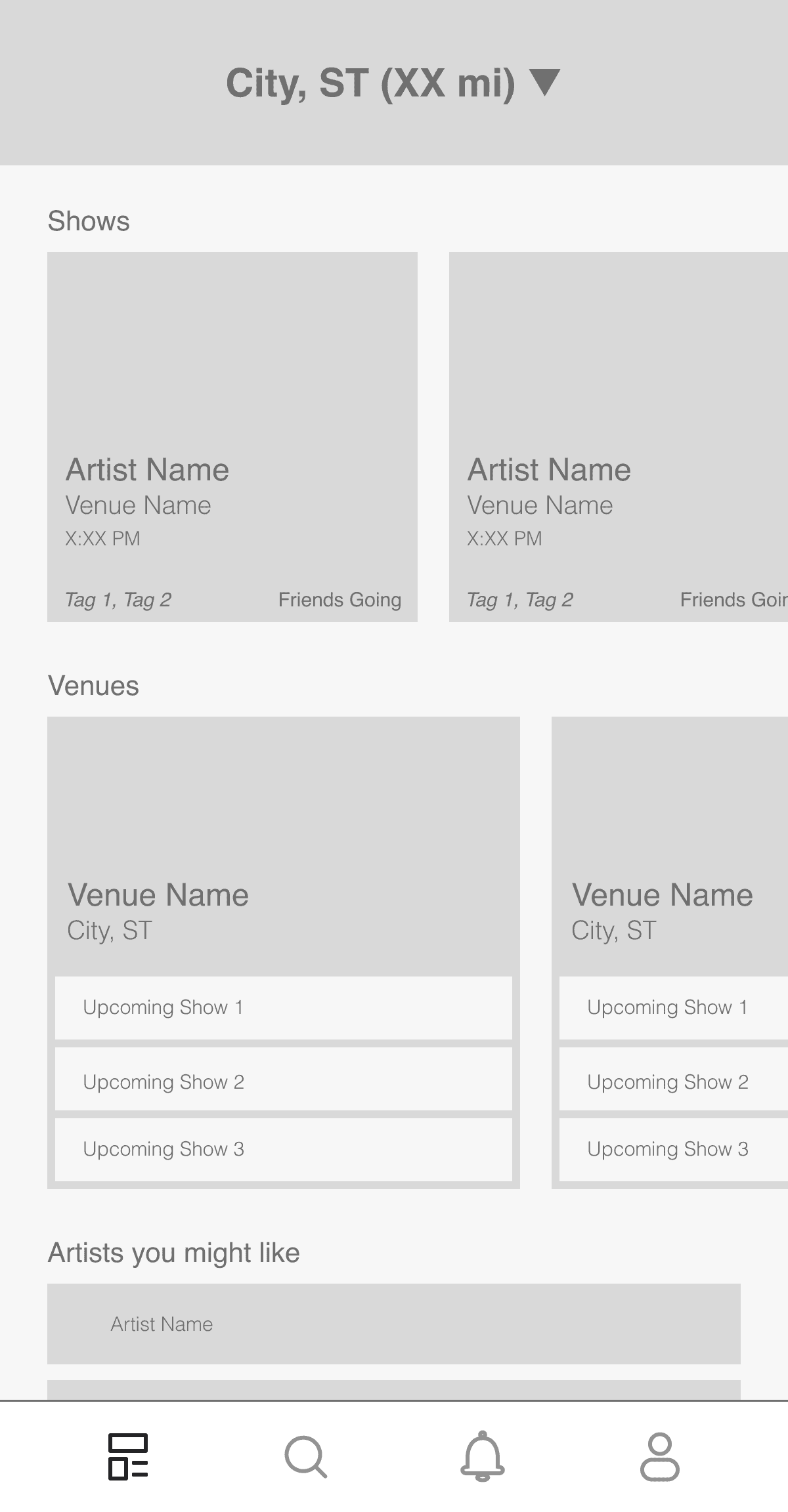
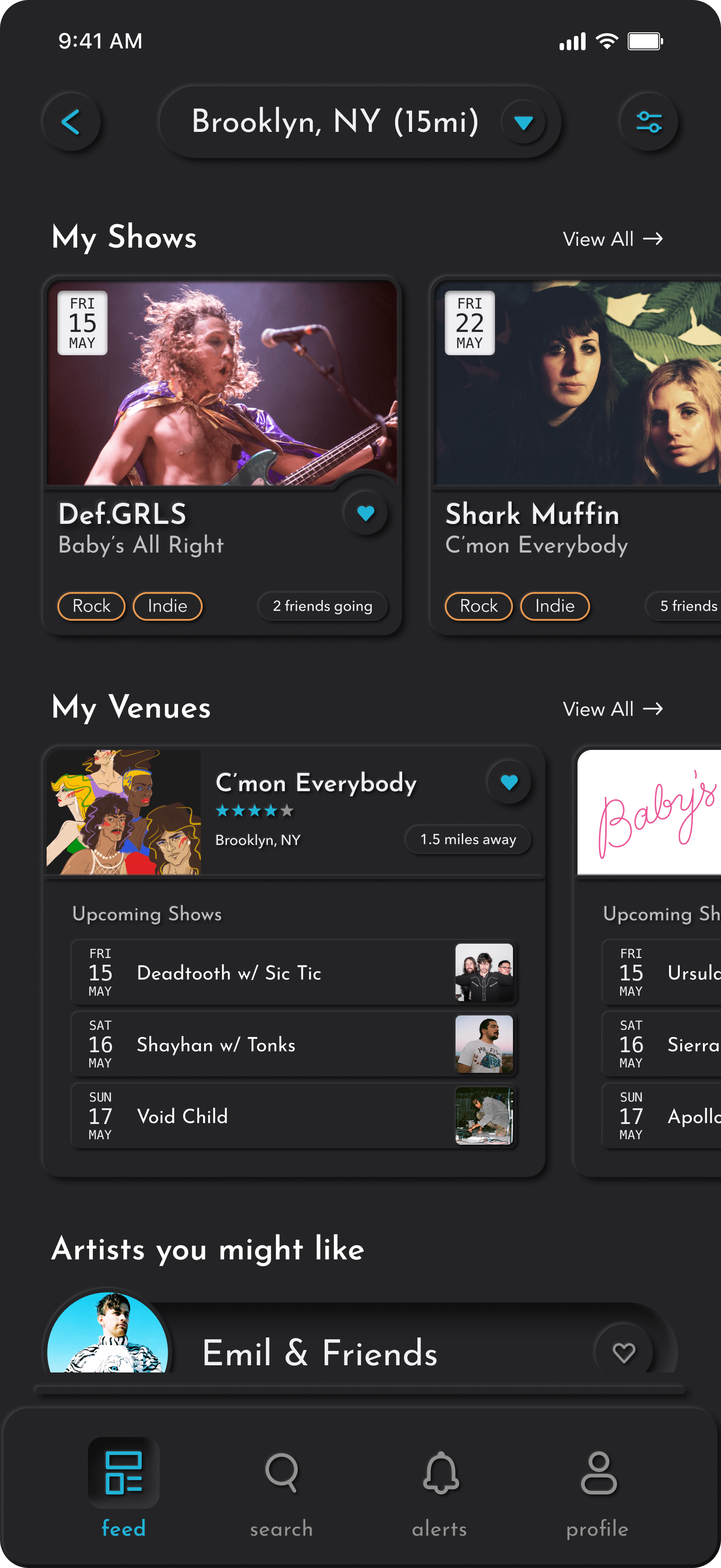
The feed was designed to answer the app's most fundamental question — what's going on near me? — without requiring any active input from the user. The Shows, Venues, and Artists sections were intended to surface all three dimensions of Virgo's discovery model the moment the app opened, prioritizing immediacy over customization.
Testing confirmed the hierarchy worked. Participants moved through the feed without hesitation, and the section labels needed no explanation. Several users specifically called out the "friends going" count as a detail that made events feel real rather than algorithmic — one participant said it was "the thing that would actually make me go." The card layout and scroll behavior carried cleanly into the final design with no structural changes, though the visual weight of show cards was increased in high fidelity to let artist photography do more of the heavy lifting.
Search Hub.
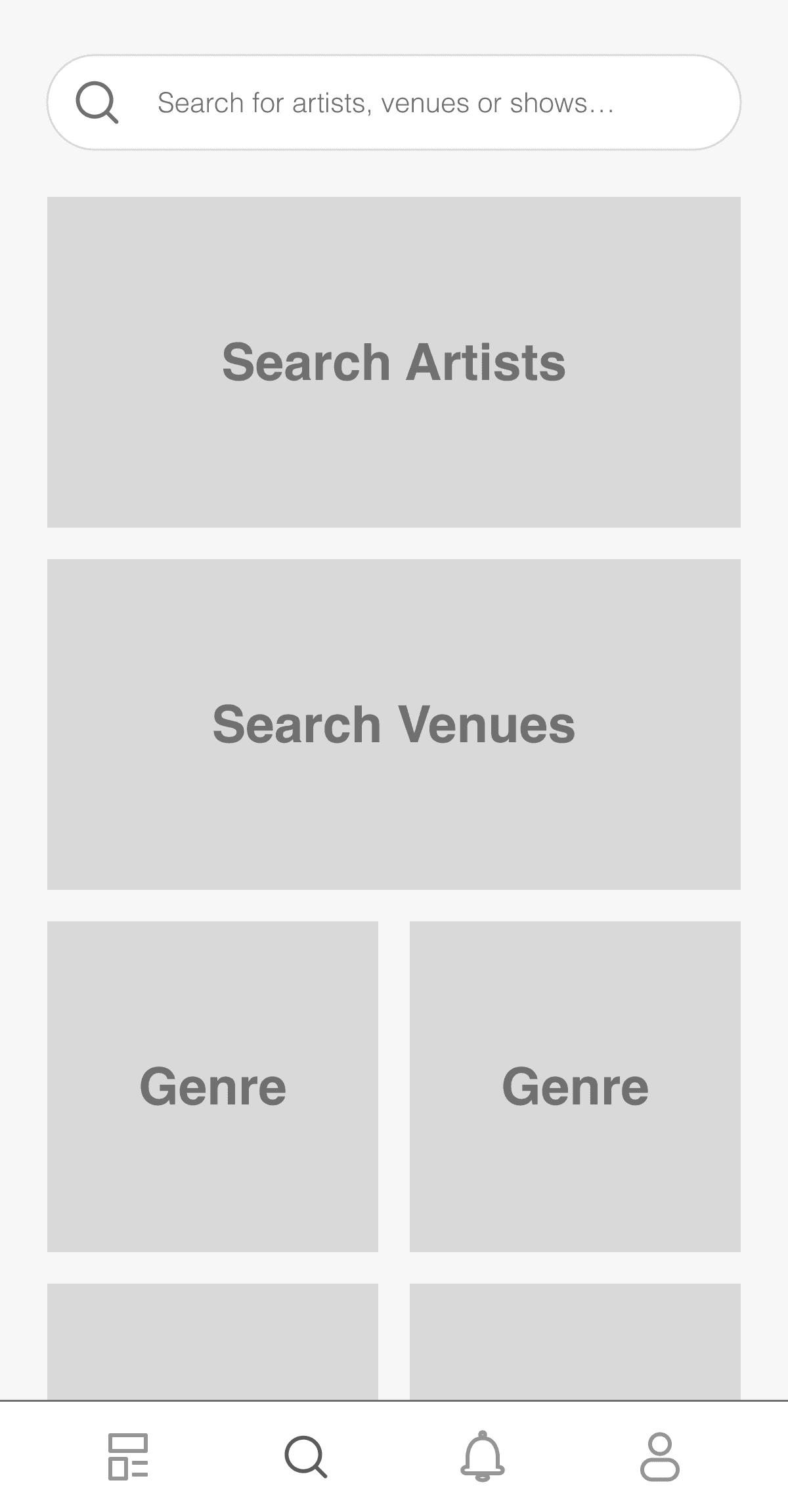
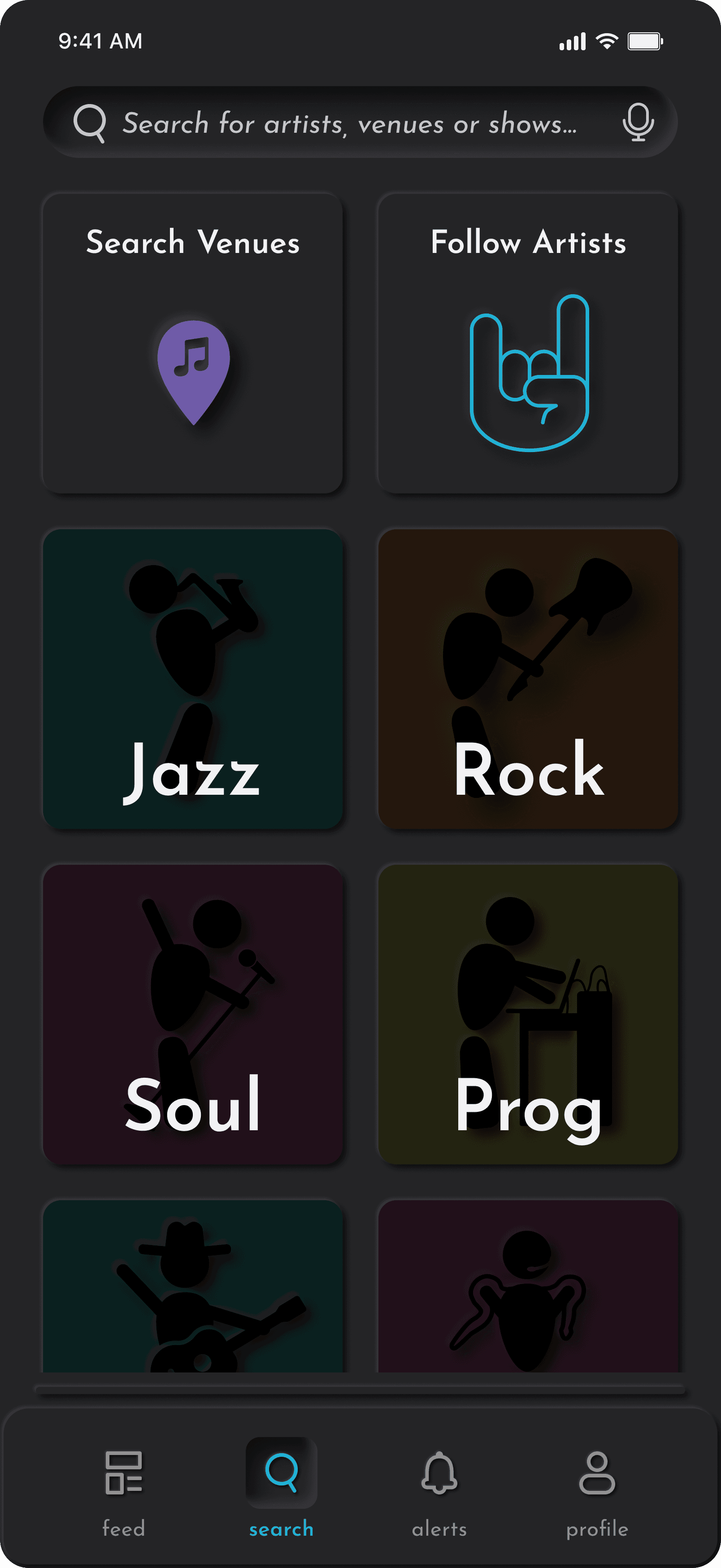
The search hub was designed to support multiple modes of intent from a single screen — direct search, venue browsing, and genre exploration — without forcing users to commit to one path before they knew what they were looking for. The two large tiles for Search Artists and Search Venues were meant to provide clear entry points above the genre grid.
In testing, the two-tile layout drew consistent feedback that it felt heavy and sparse — participants described it as "a lot of space for not much information." The genre grid below the tiles was where most users gravitated naturally, suggesting the tiles were taking up real estate that belonged to browsing. In the final design, the tiles were reduced in scale and placed side by side, freeing the genre grid to expand and giving the screen a more balanced, purposeful feel. The global search bar above the tiles remained unchanged, as every participant reached for it first on directed search tasks.
Genre Search.
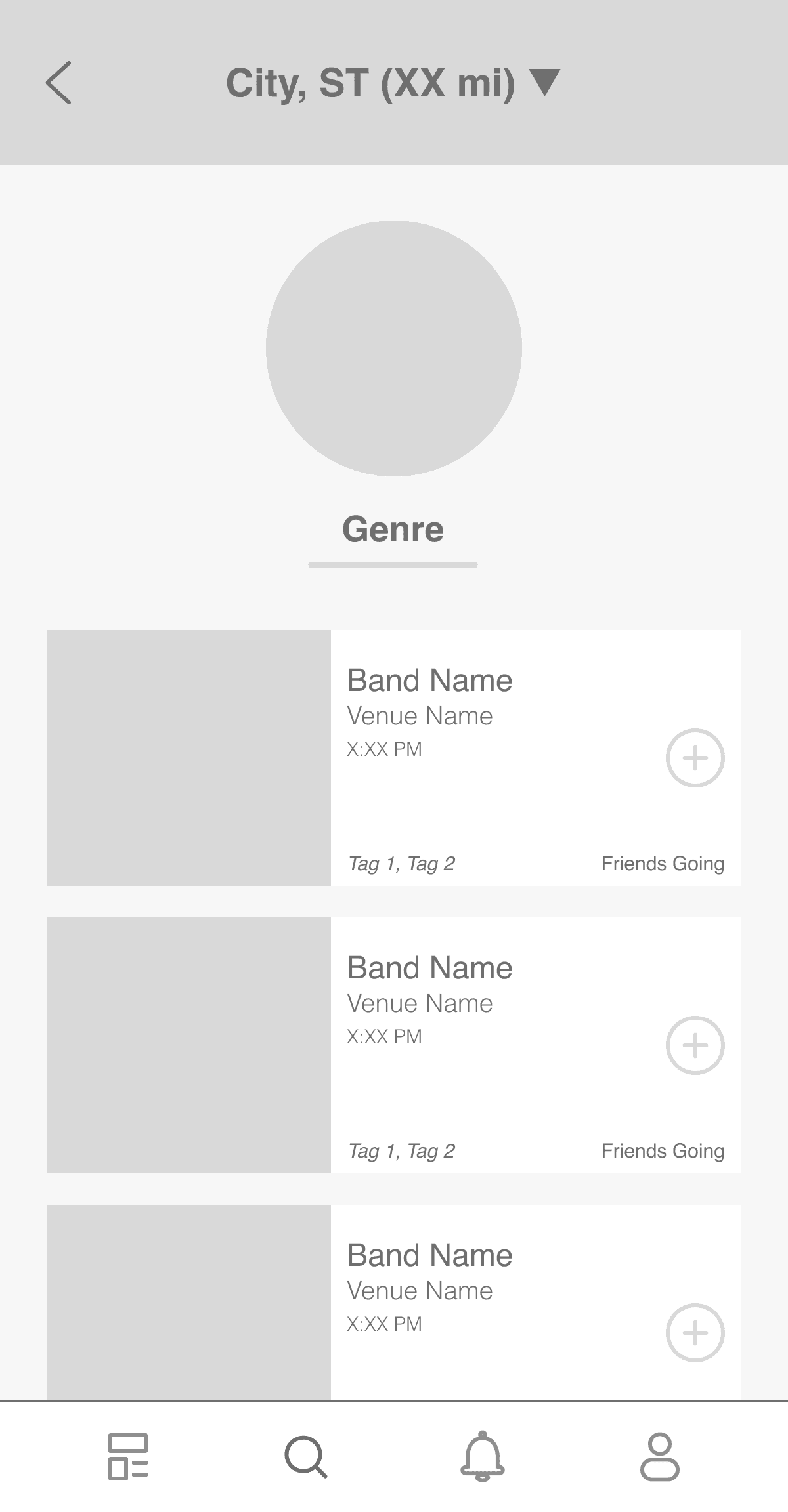
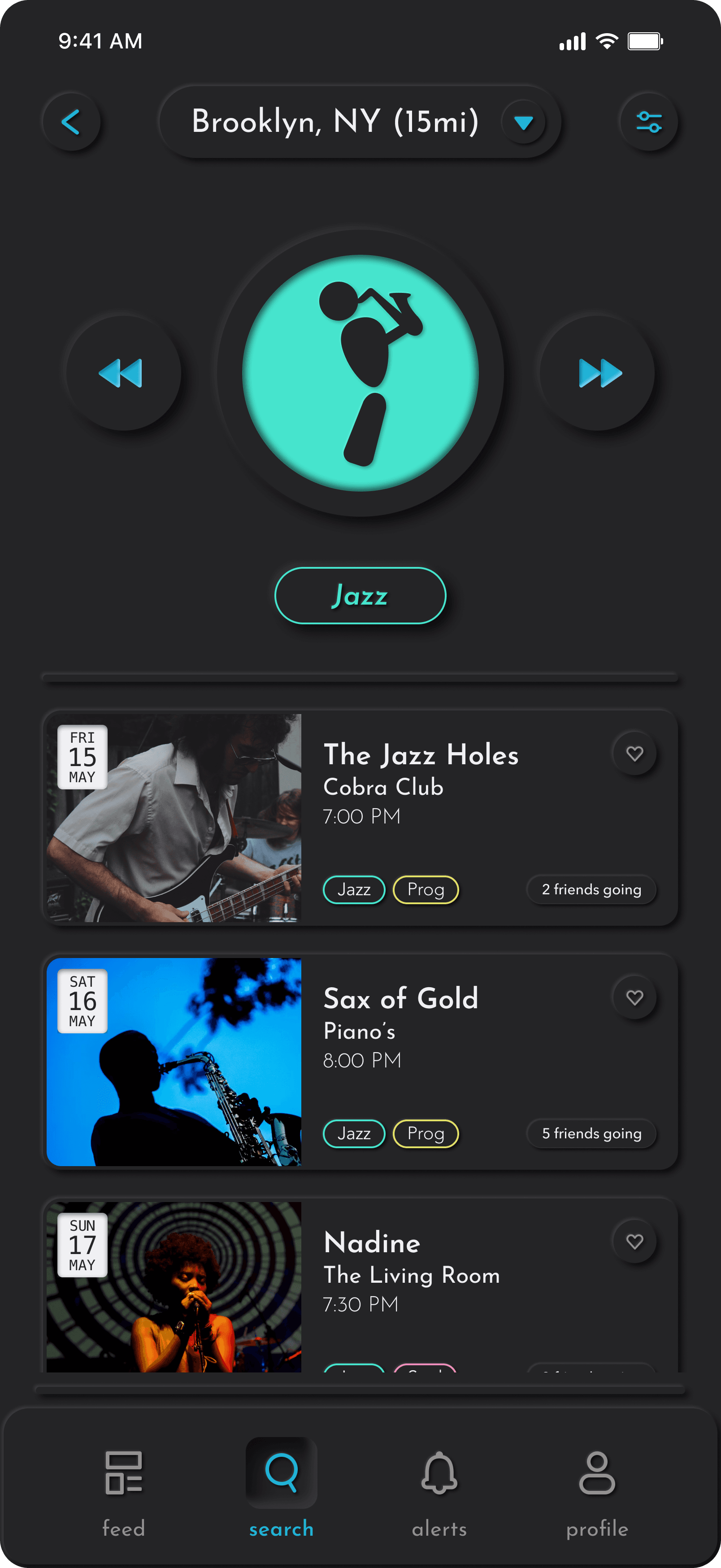
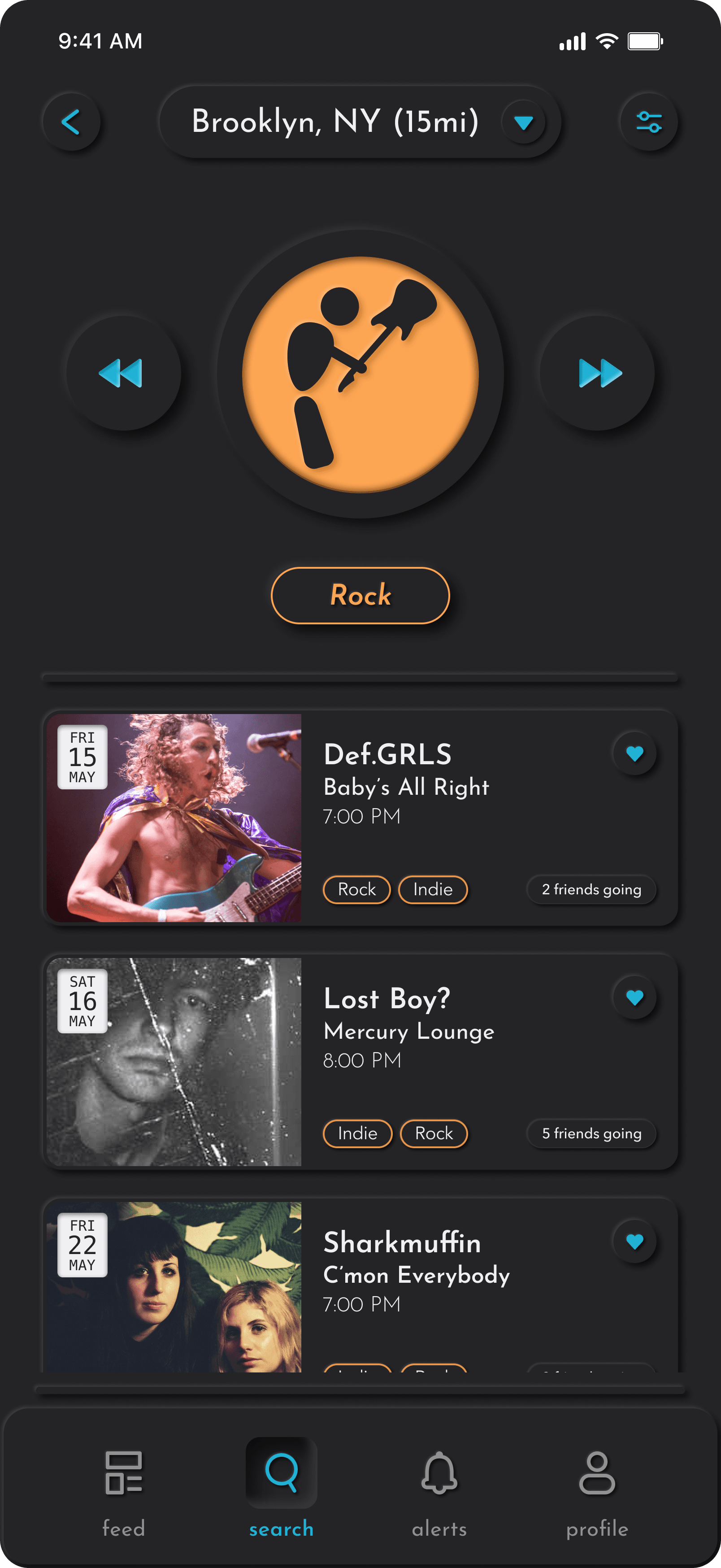
The genre search wireframe was designed to bridge browsing and intent — giving users who had selected a genre an immediate, scannable list of upcoming shows without requiring any further filtering or input. The genre icon sat prominently at the top of the screen as an anchor, reinforcing where the user was within the app's discovery system, while the show list below led with artist imagery, venue, time, and social context.
Testing revealed that participants engaged with the show list quickly and confidently, but the genre icon at the top read as static rather than interactive — no one attempted to use it to navigate between genres. The opportunity to move fluidly between adjacent genres without backtracking was something several participants expressed wanting only after being told it wasn't there. In the final design the icon became a swipeable element flanked by directional arrows, transforming a landmark into a navigation control. The change was small in footprint but significant in behavior — it turned a dead end into a through-line, letting users follow a mood across genres without ever returning to the search hub.
Venue Search.
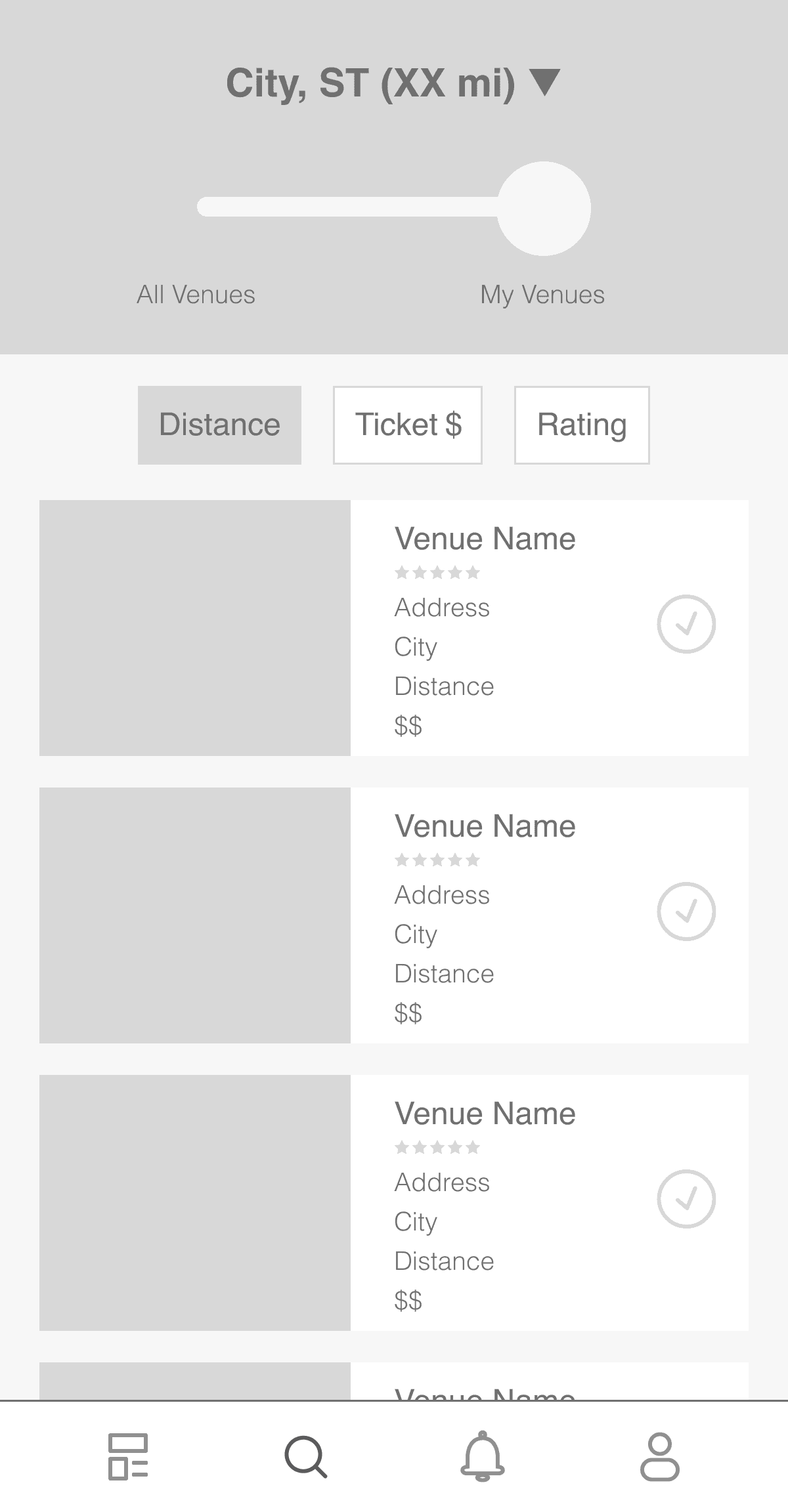
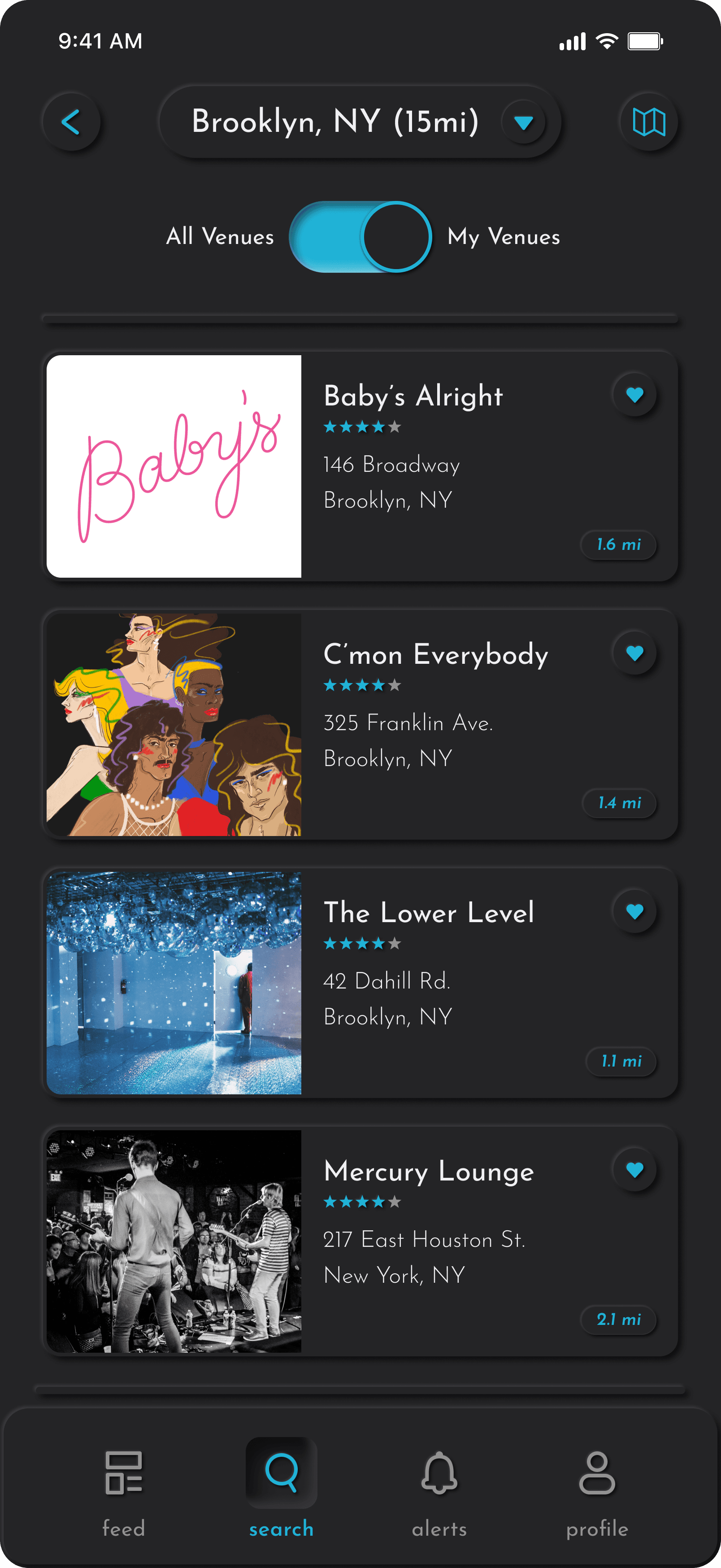
The venue search wireframe prioritized filtering and sorting as first-class features, surfacing Distance, Ticket $, and Rating as buttons below the Venues toggle. The goal was to give users immediate control over how results were organized, acknowledging that different users would prioritize different factors when choosing where to go.
In practice, the screen felt cluttered before participants had even engaged with the content. With two control elements competing for attention above the venue list, several users paused at the top of the screen rather than scanning the results below. One participant described it as "a lot of decisions before I've even seen anything." The sort filters were useful — users did want them — but they didn't need to be visible at all times. In the final design they were moved behind the filter icon in the top right, keeping the list surface clean and reserving the controls for users who actively seek them out.
Alerts.
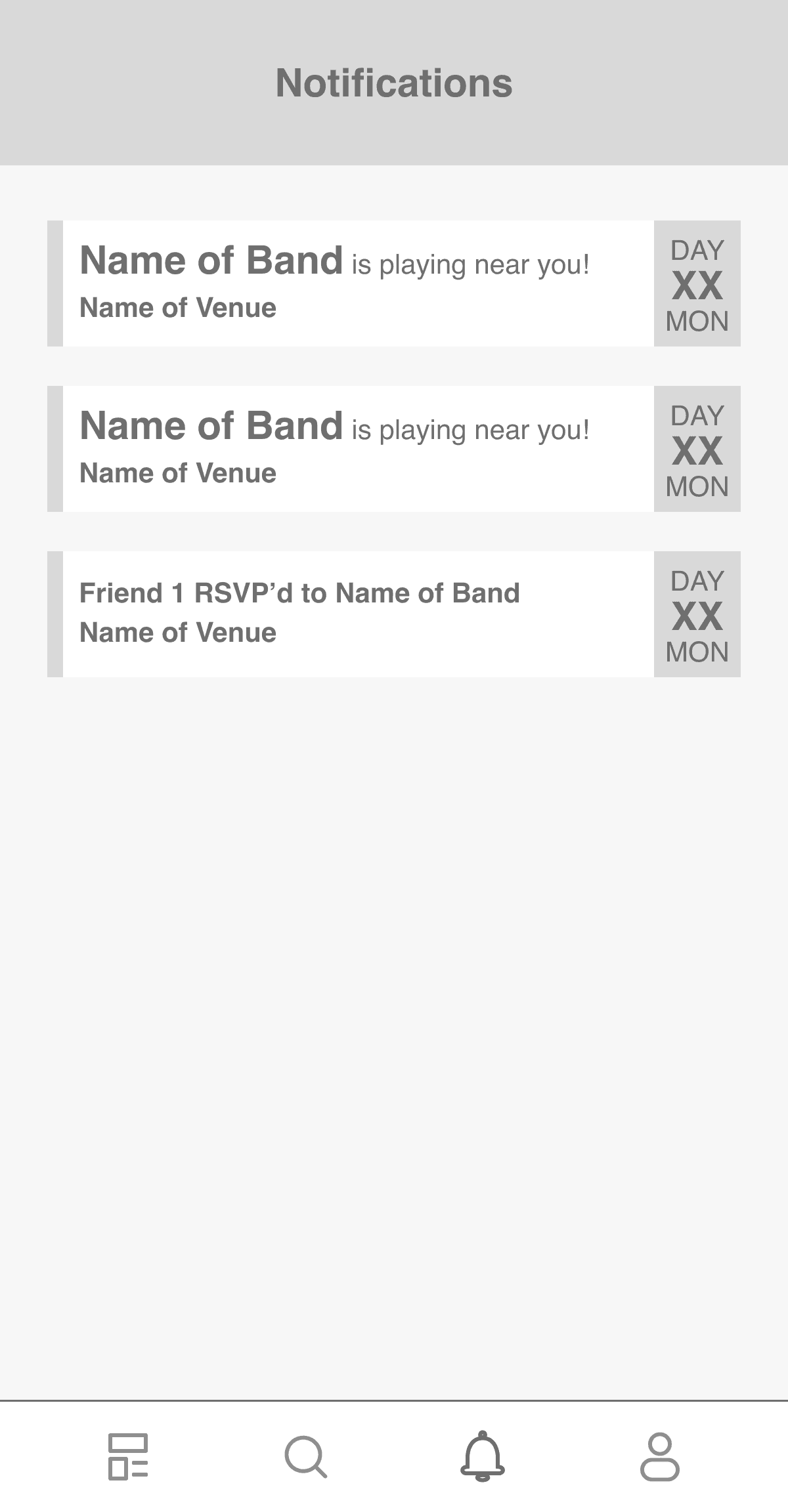
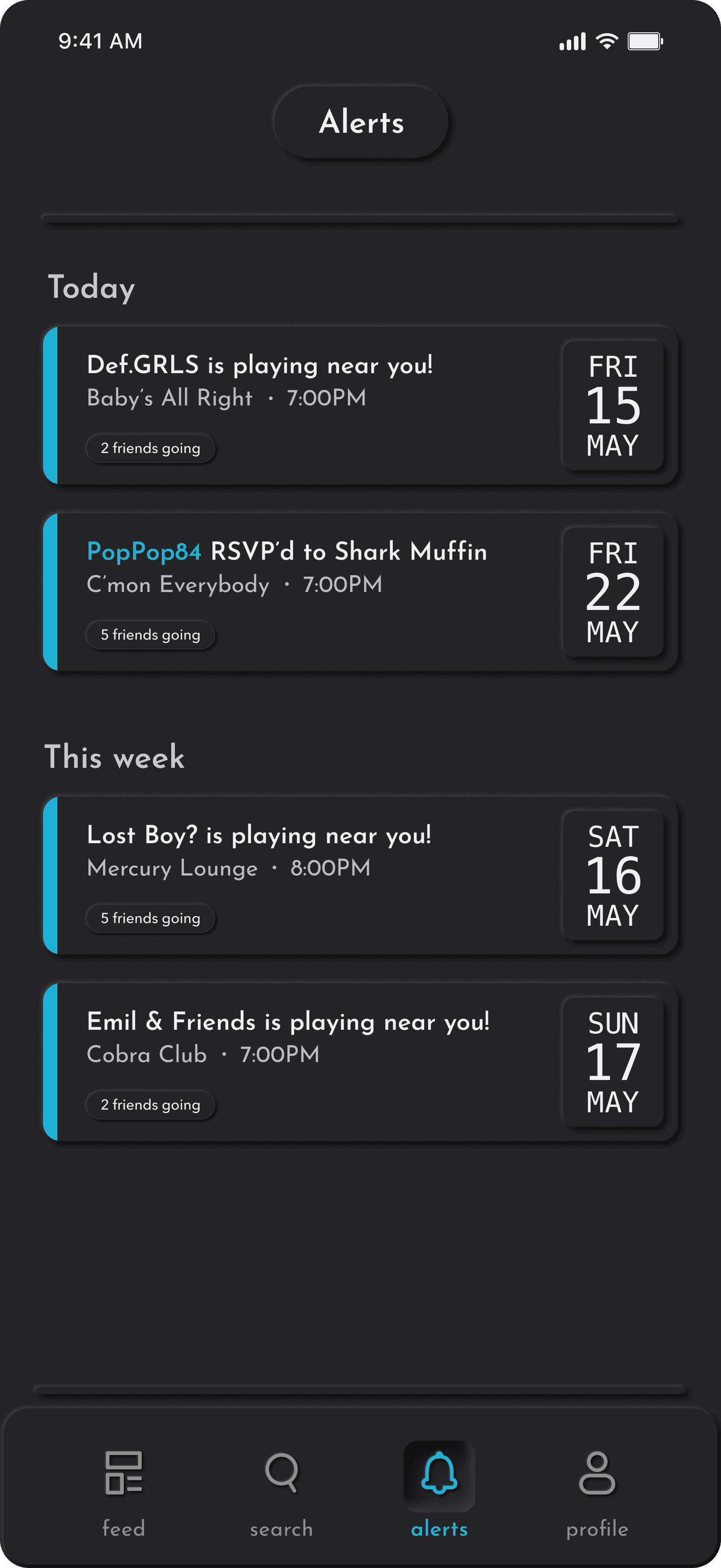
The alerts wireframe established the two core notification types early in the process: artist show alerts tied to your followed artists, and friend RSVPs that surface social activity around upcoming events. The goal was to keep notifications actionable and grounded — every alert should tell you something specific is happening, not just prompt you to open the app.
The friend RSVP notifications drew the strongest response in testing. Multiple participants said knowing a friend was going to a show was more motivating than the show announcement itself — one described it as "the difference between adding something to my calendar and actually going." The date stamp format was validated without prompting, with all participants reading it correctly on first encounter. Both the notification structure and the date treatment carried into the final design unchanged, with visual refinements added in high fidelity: unread alerts gained a cyan left-edge indicator, and the date stamps were given the same inset neumorphic treatment as the rest of the app's UI.
Profile.
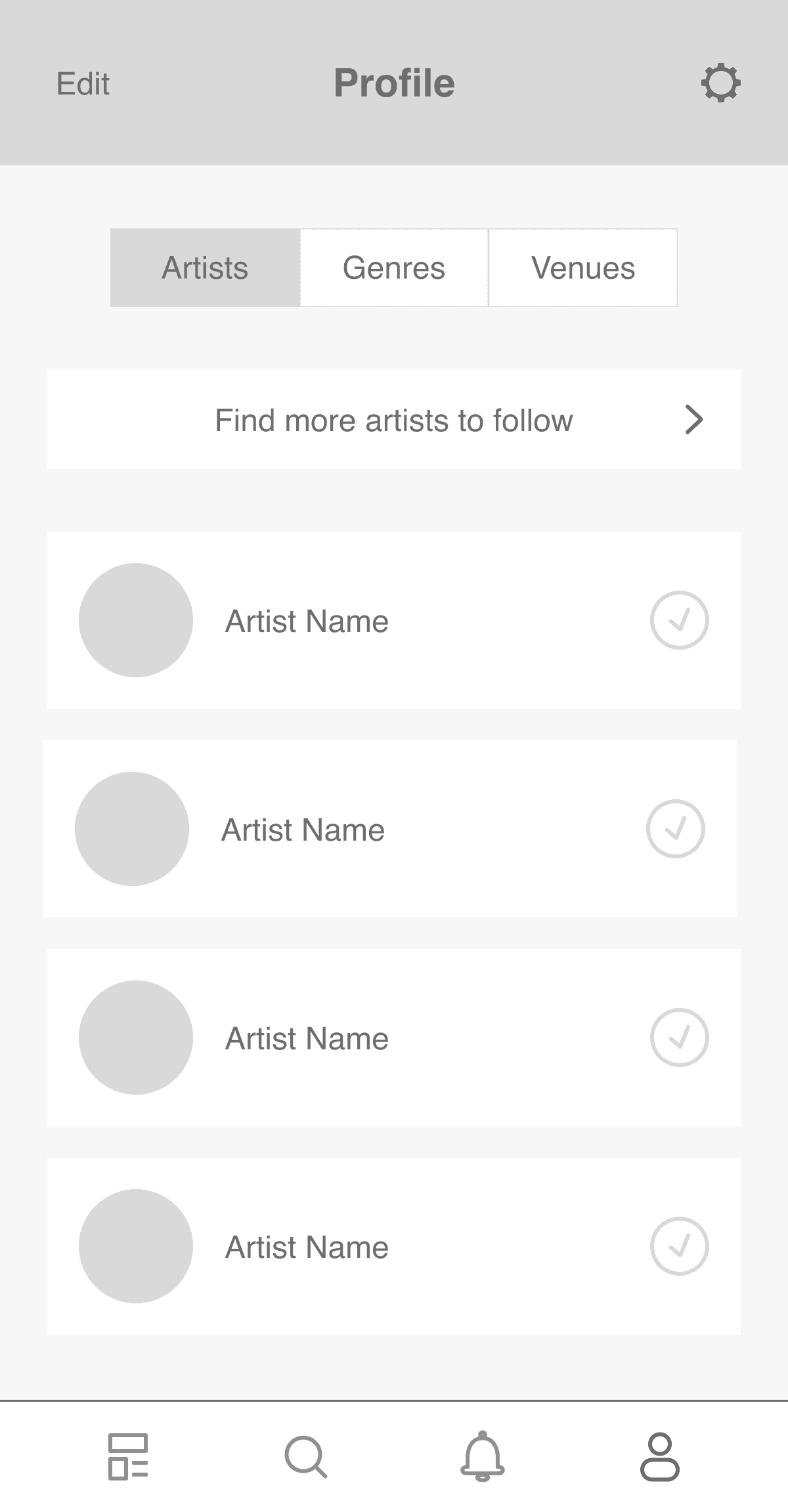
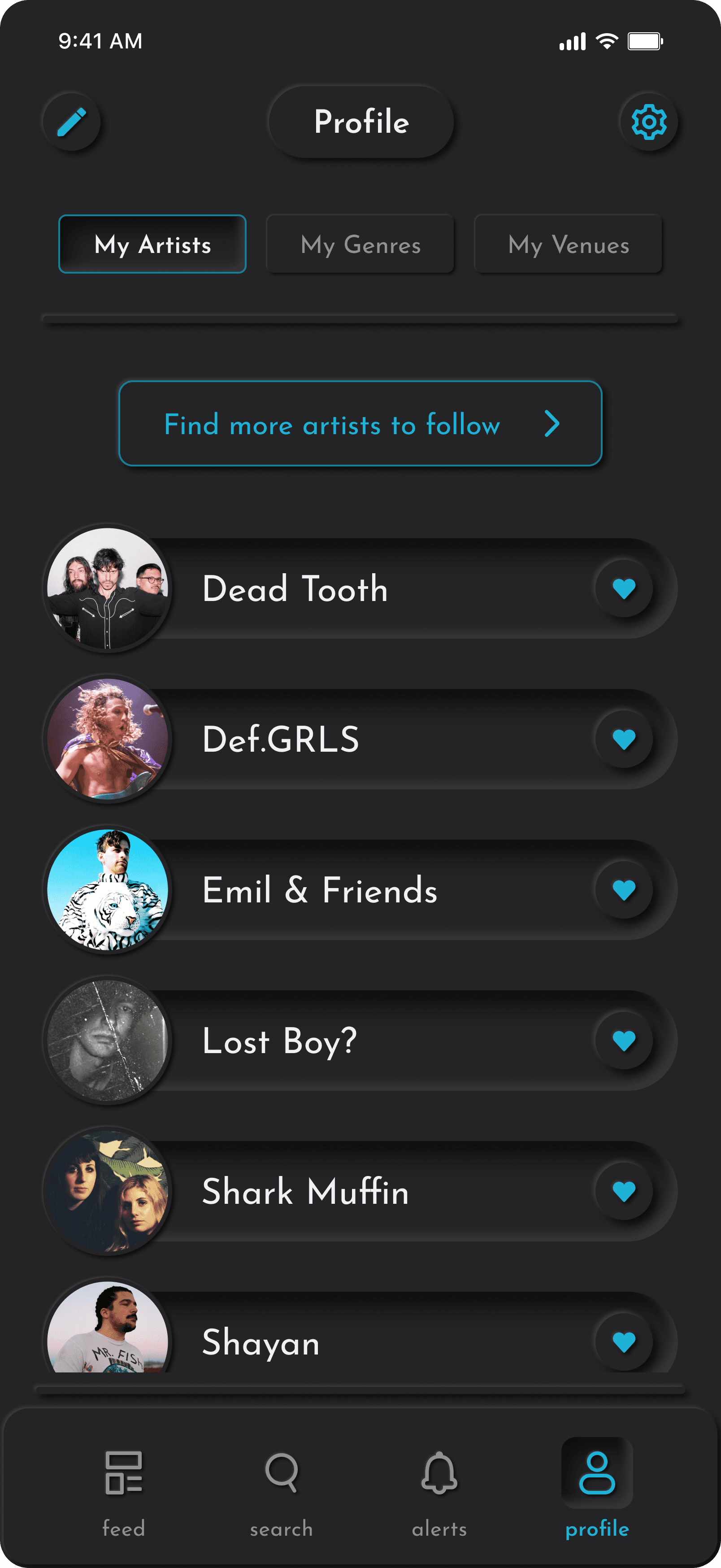
The profile wireframe organized user data across three tabs — Artists, Genres, Venues — mirroring the same categories used throughout the rest of the app. The intent was to make the profile feel like a natural extension of the discovery experience rather than a separate settings-like destination.
The tab structure tested cleanly across all participant types, including those with no prior relationship to live music apps. The organizational logic was intuitive enough that no one needed to explore all three tabs to understand what the profile was for. One change did emerge from testing: the follow indicator on artist rows was a checkmark in the wireframe, which several participants read as a completed action — something confirmed or processed — rather than an ongoing relationship. The ambiguity was subtle but consistent enough across sessions to warrant a change. In the final design the checkmark was replaced with a heart, which carried the intended meaning of affinity and connection without any explanation needed.
The Virgo Brand
Logo: Multitudes
The Virgo app is built on human connection, helping fans and artists find community in the music they love. The logo puts a person at the literal center of the brand before a single screen is ever opened. The wordmark is set in a clean, sans-serif typeface — lowercase, unhurried, and confident without being loud. It's light and approachable, an invitation not an announcement.
Primary Color Palette
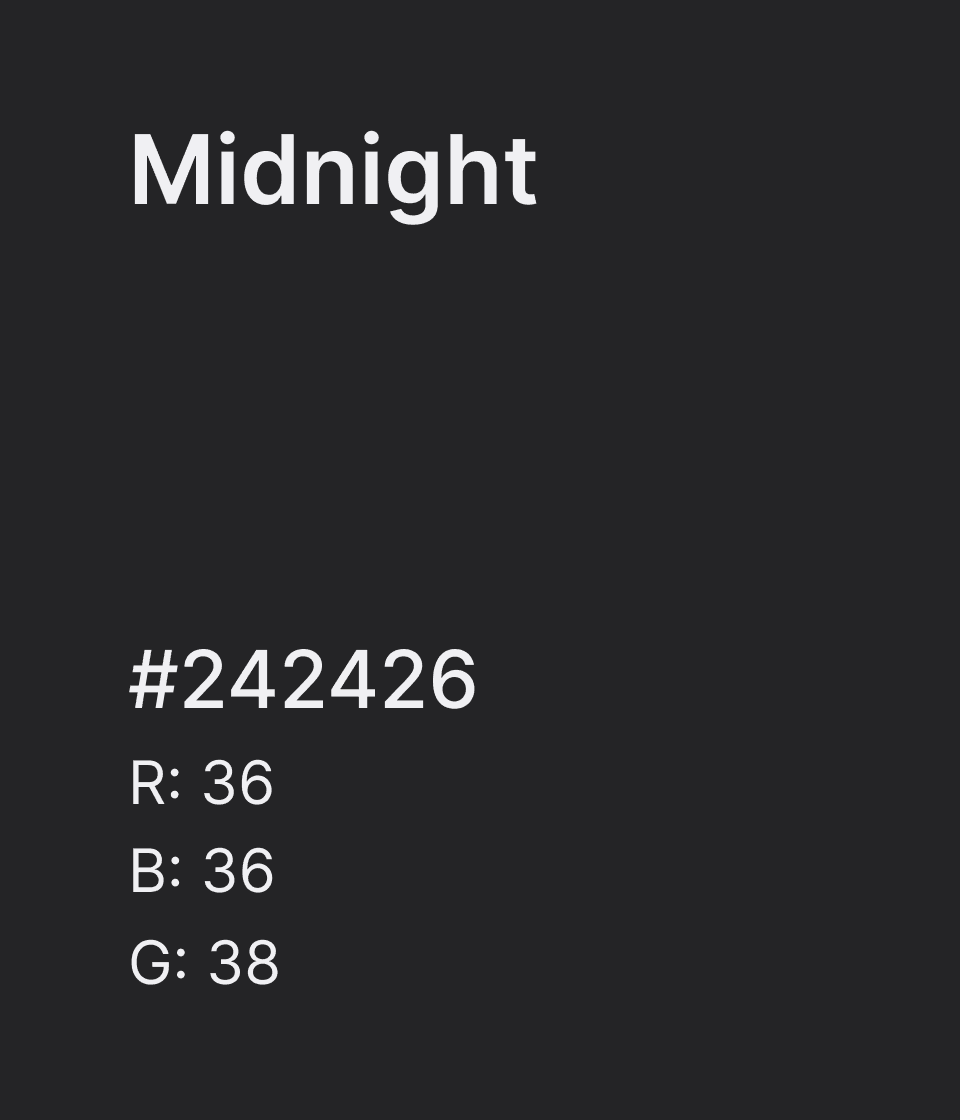
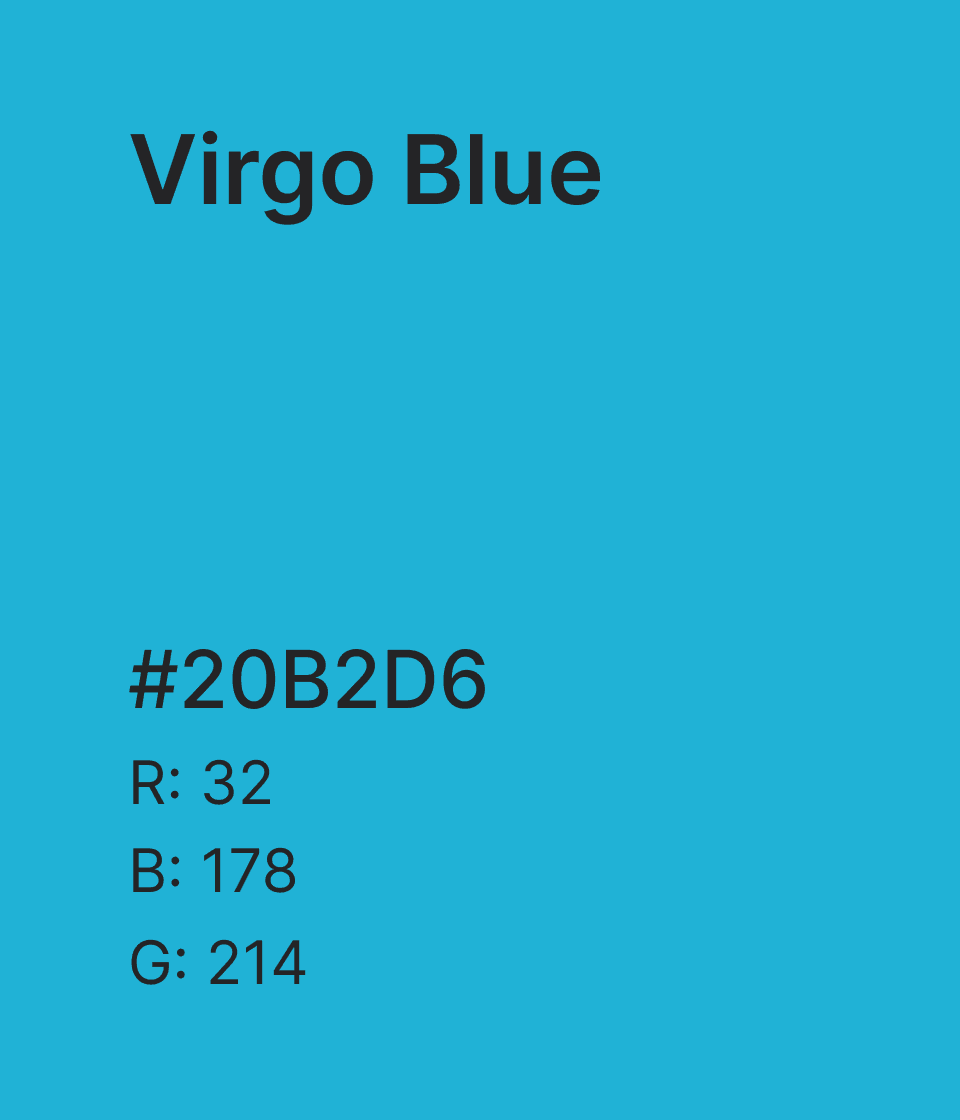
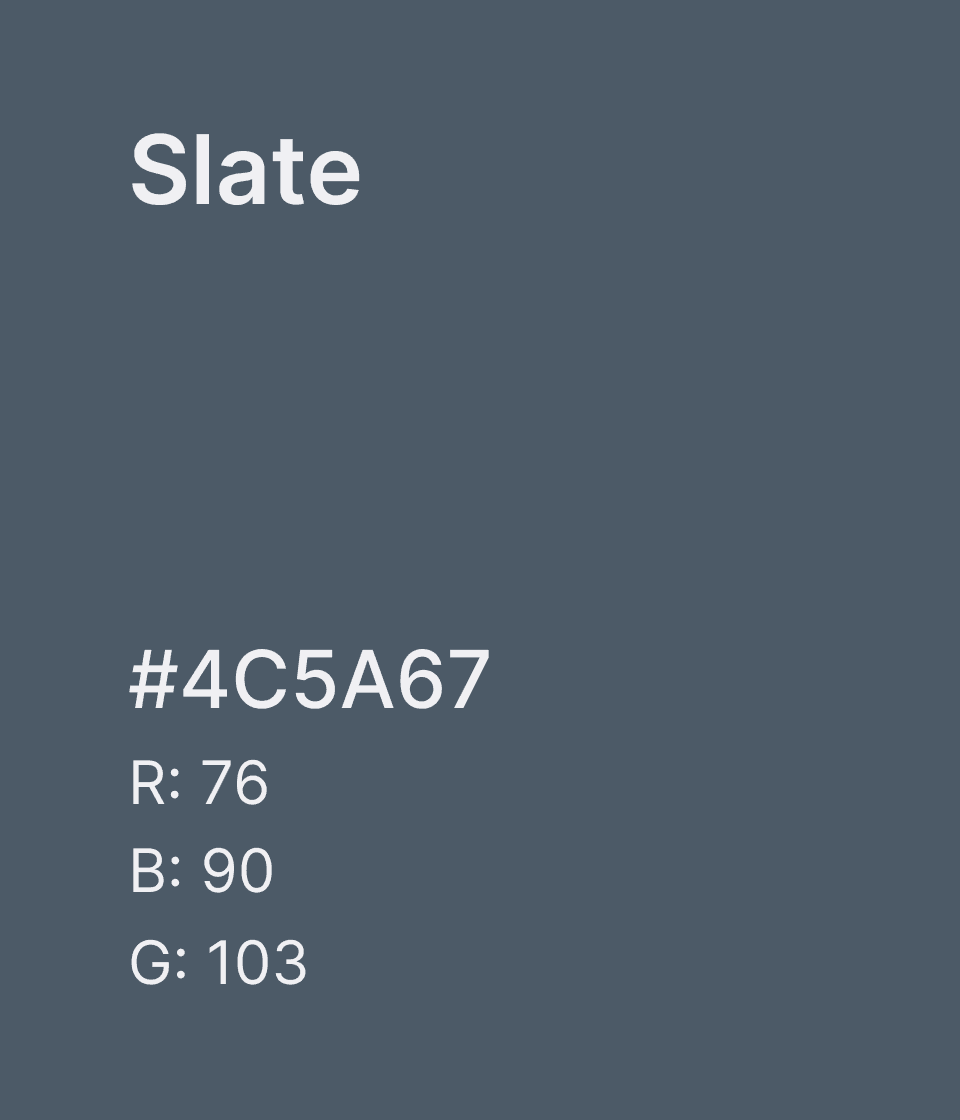
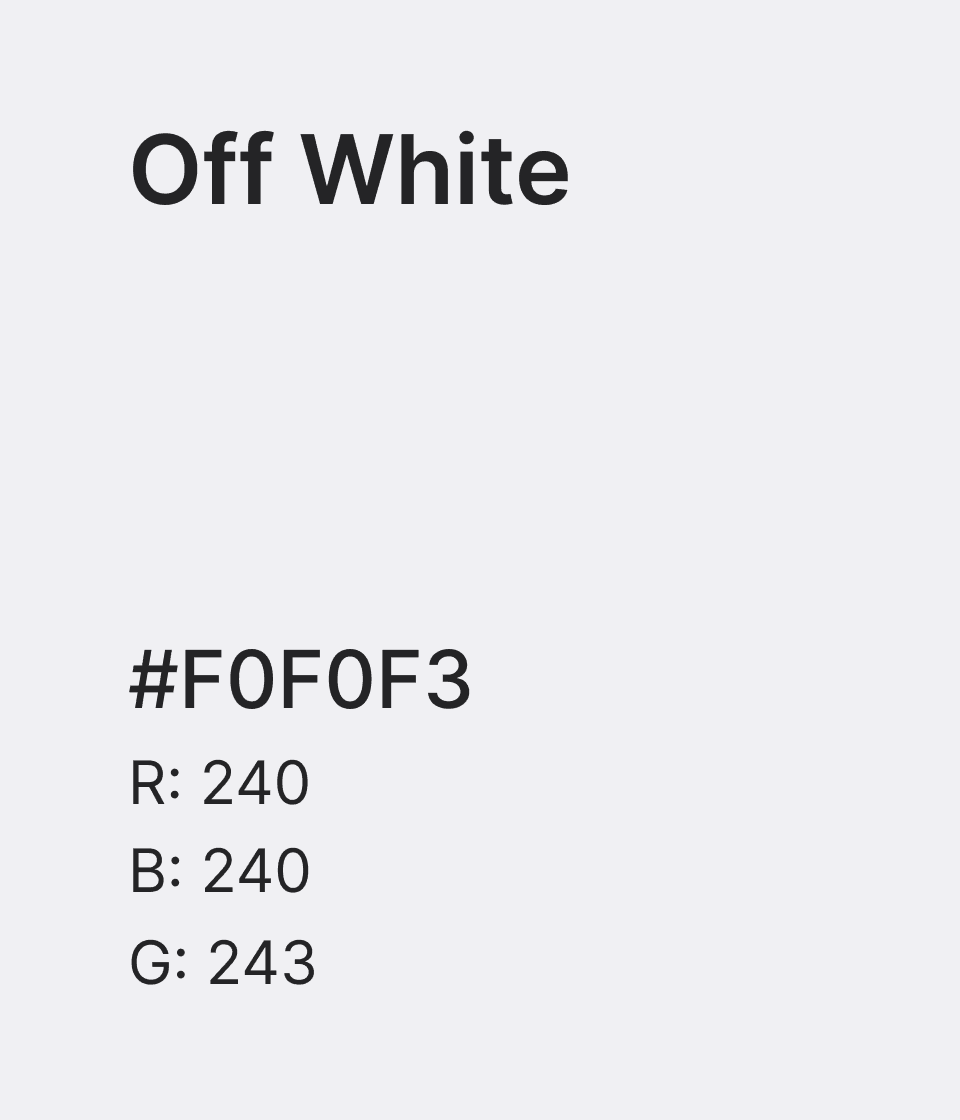
Secondary Color Palette
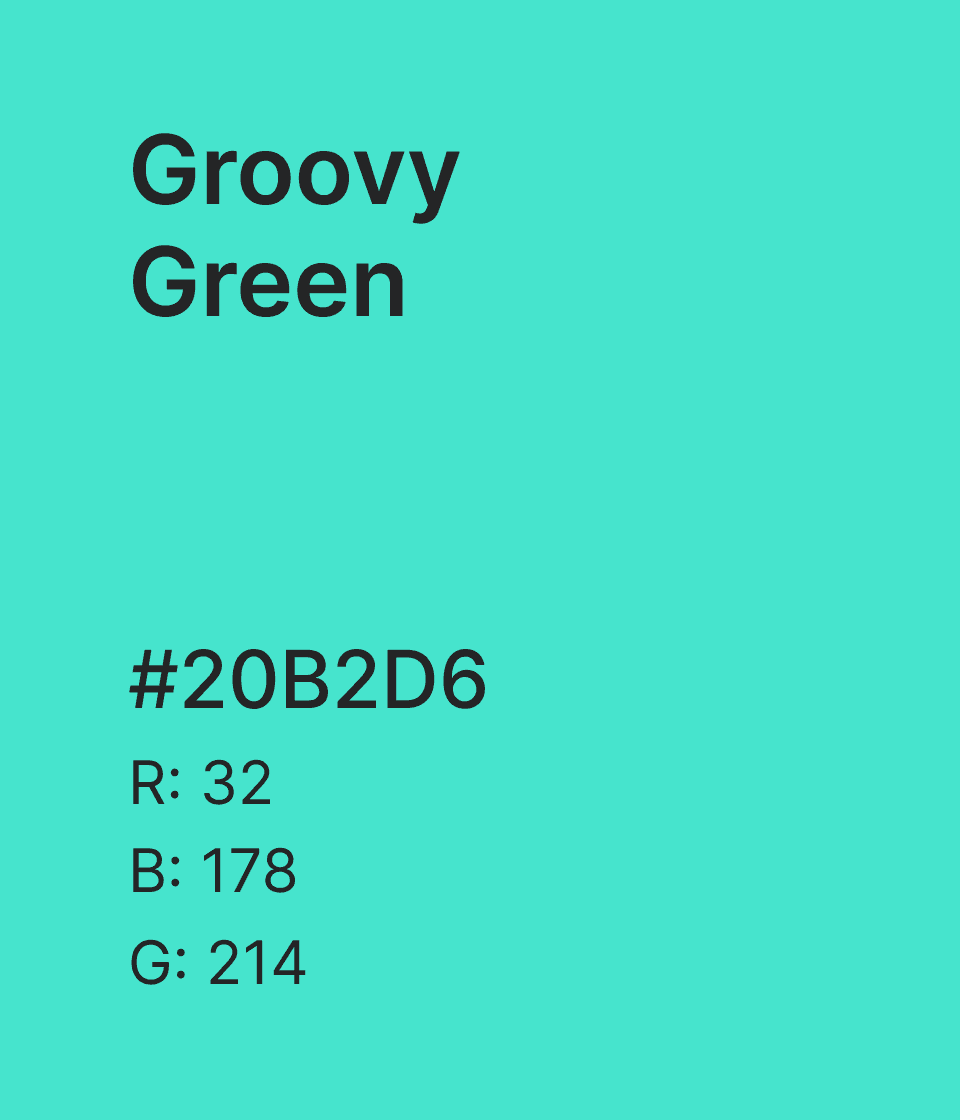
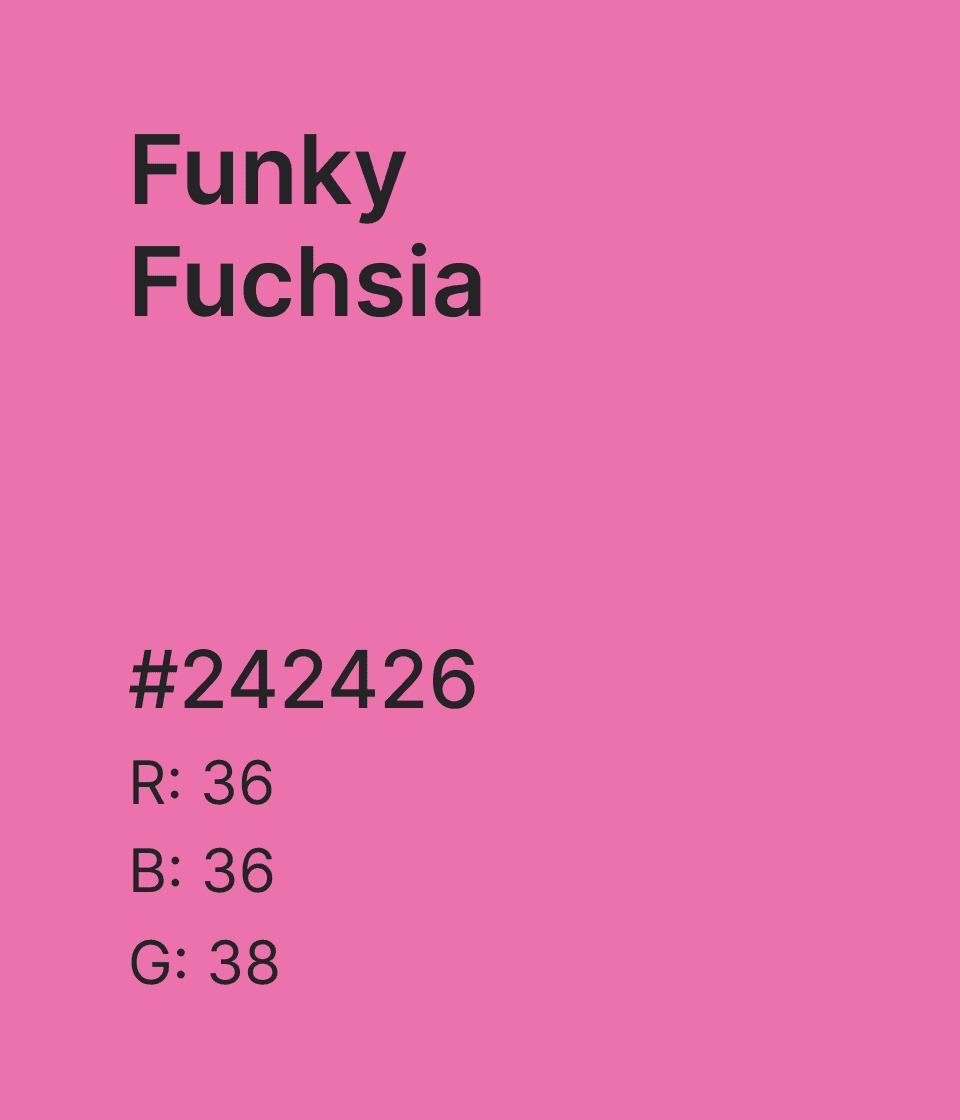
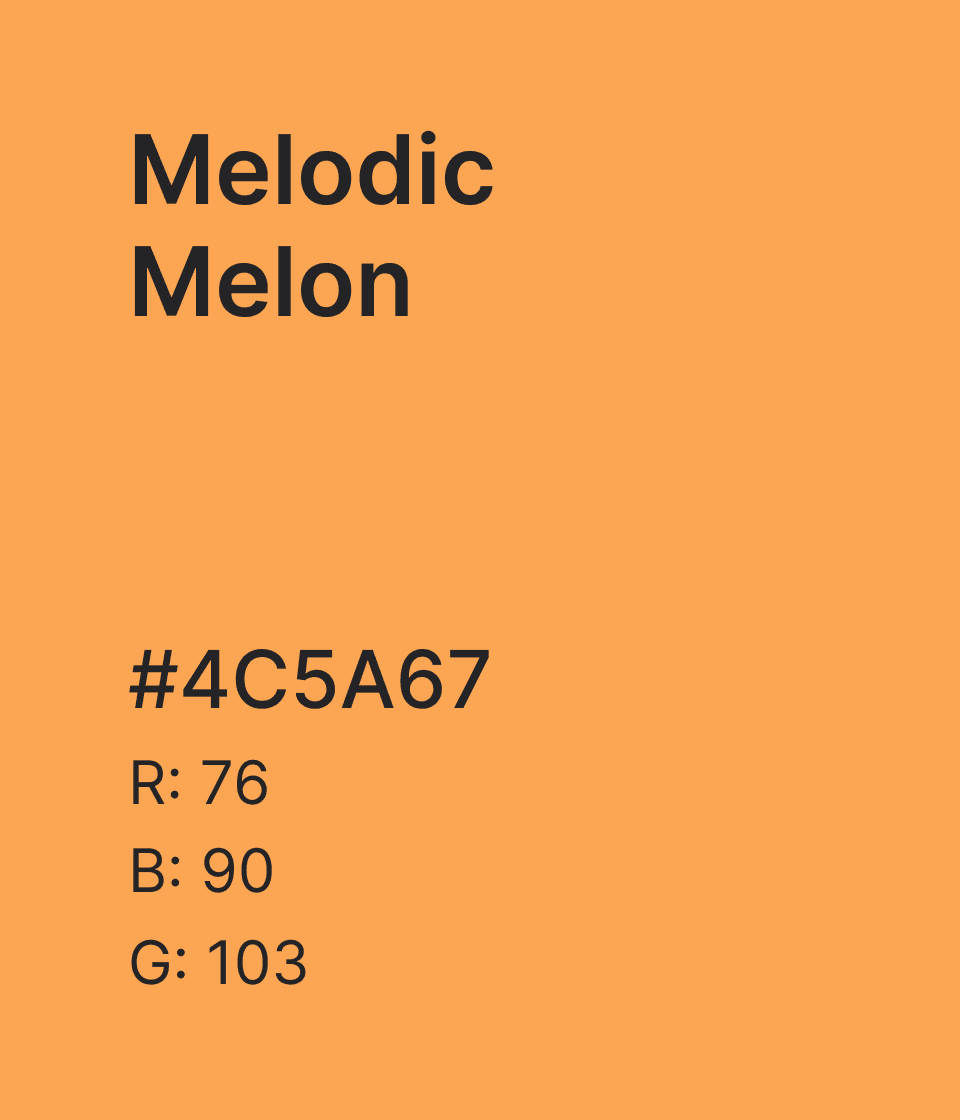
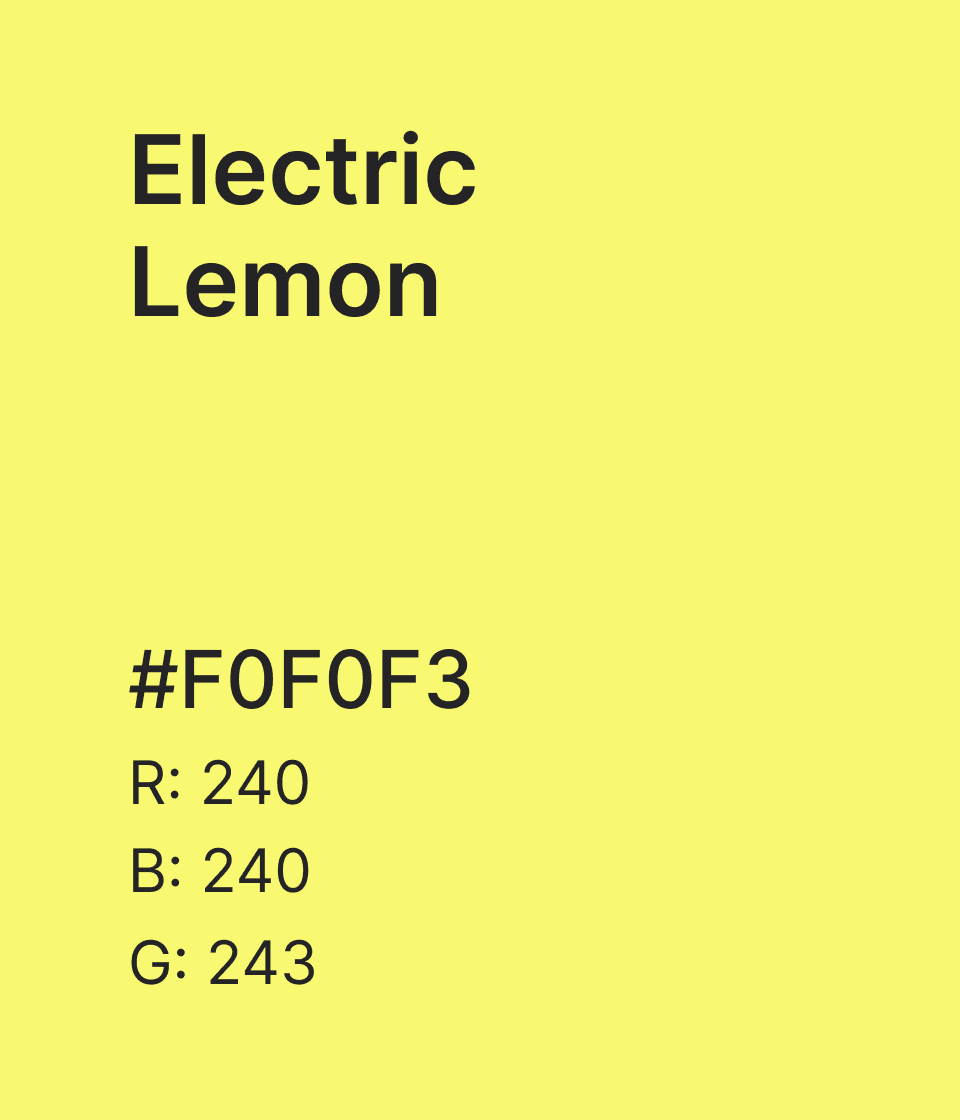
Midnight evokes the environment where the music actually happens: low light, late hours, rooms where your eyes adjust and the stage is the brightest thing in the room.
Virgo Blue cuts cleanly through the dark like a stage light catching the haze, present and directional without flooding the room.
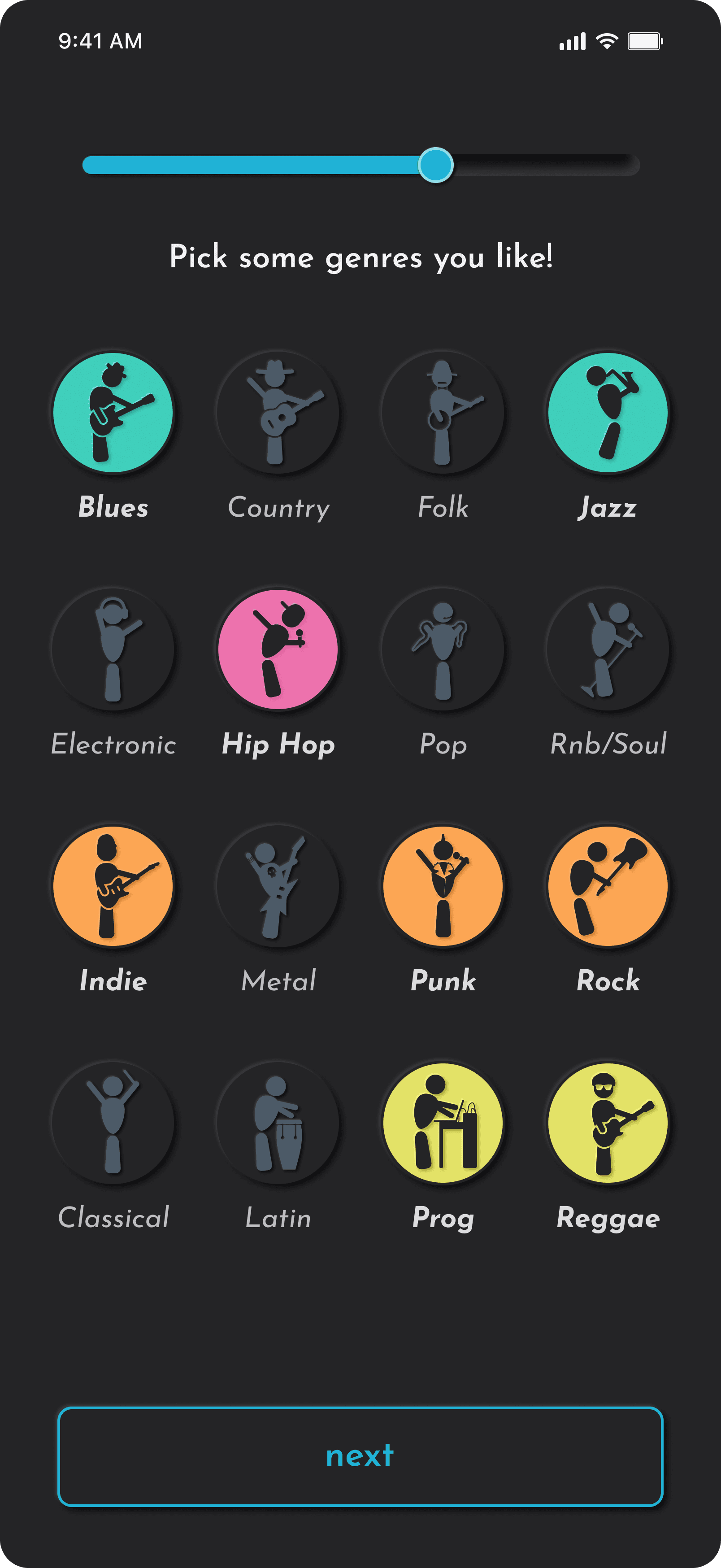
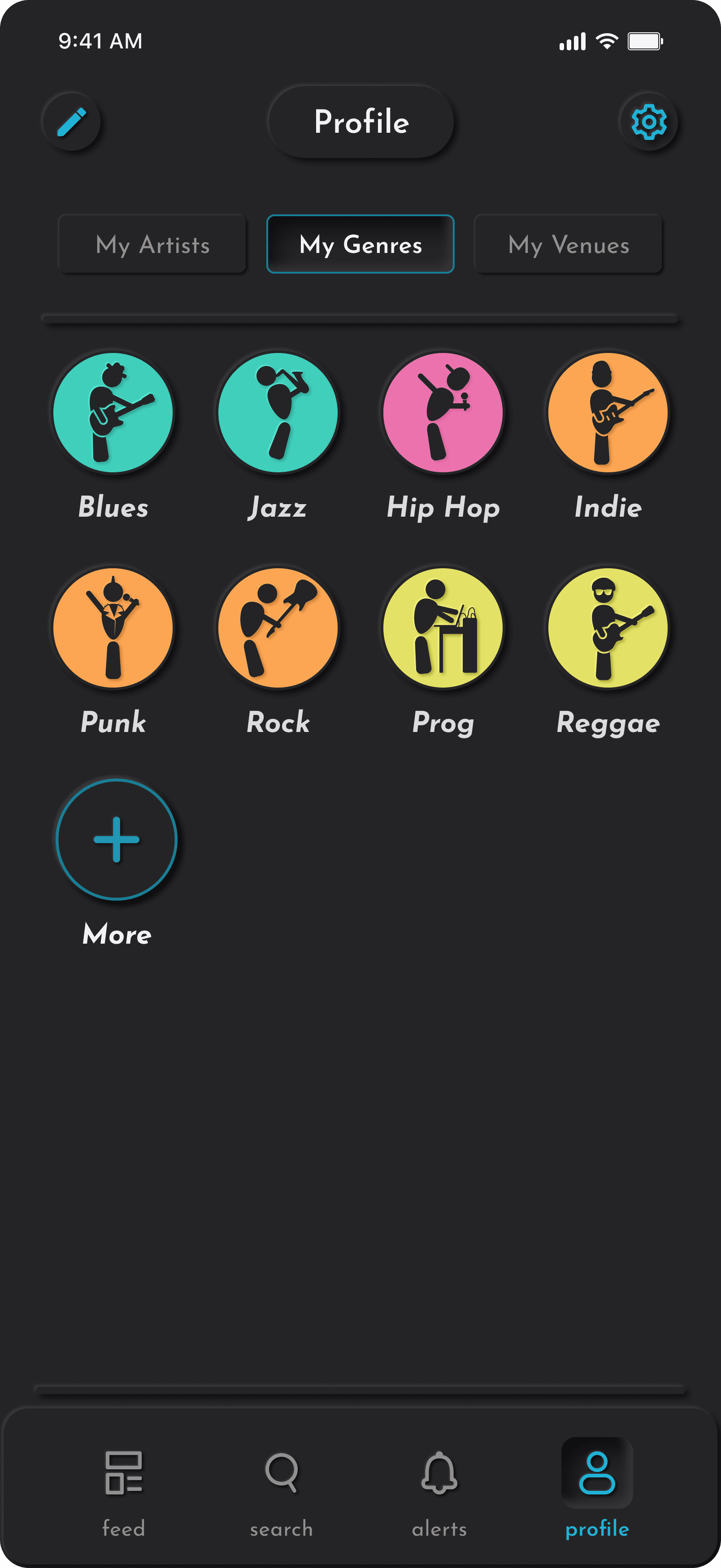
The secondary palette is warm and alive. These vibrant colors function as a navigational language, carrying a genre's identity from onboarding to search results.
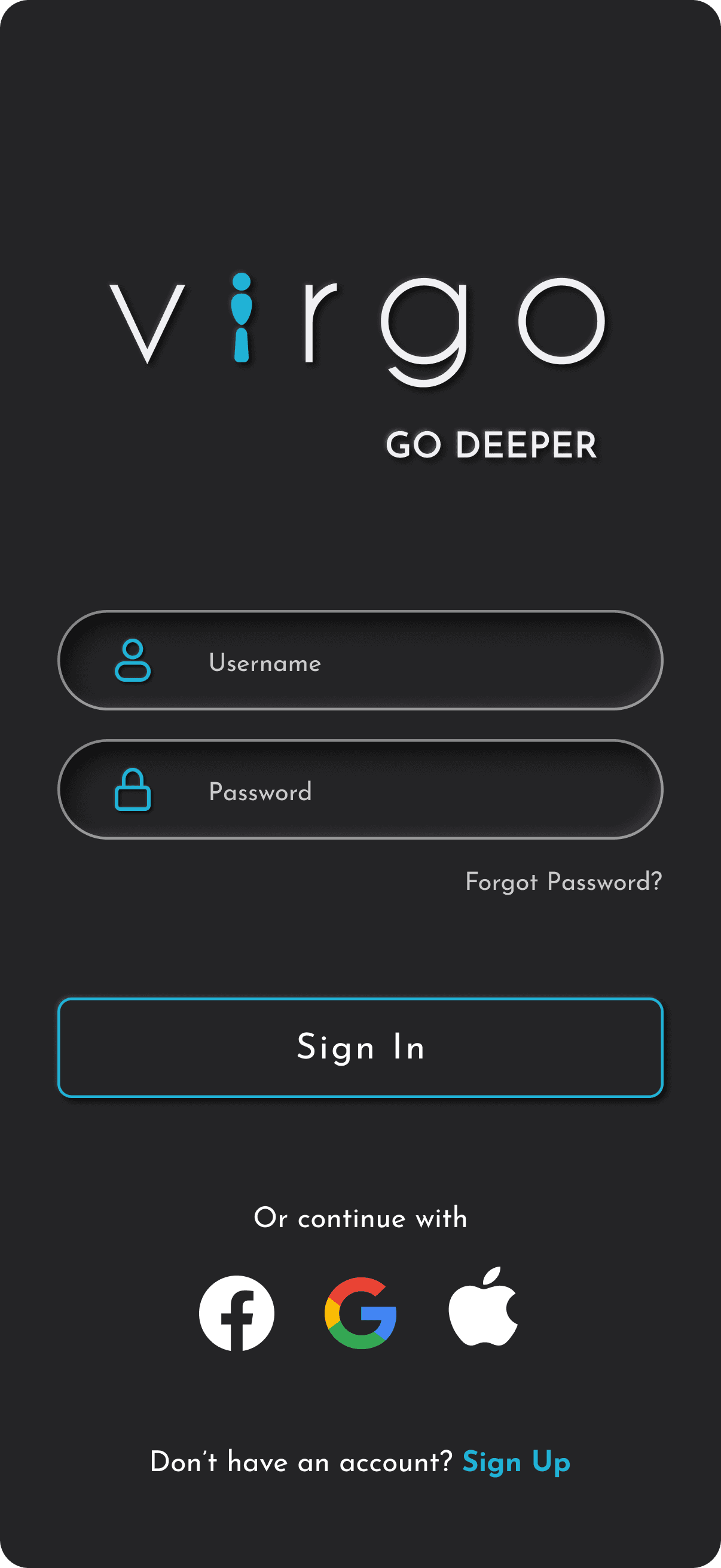
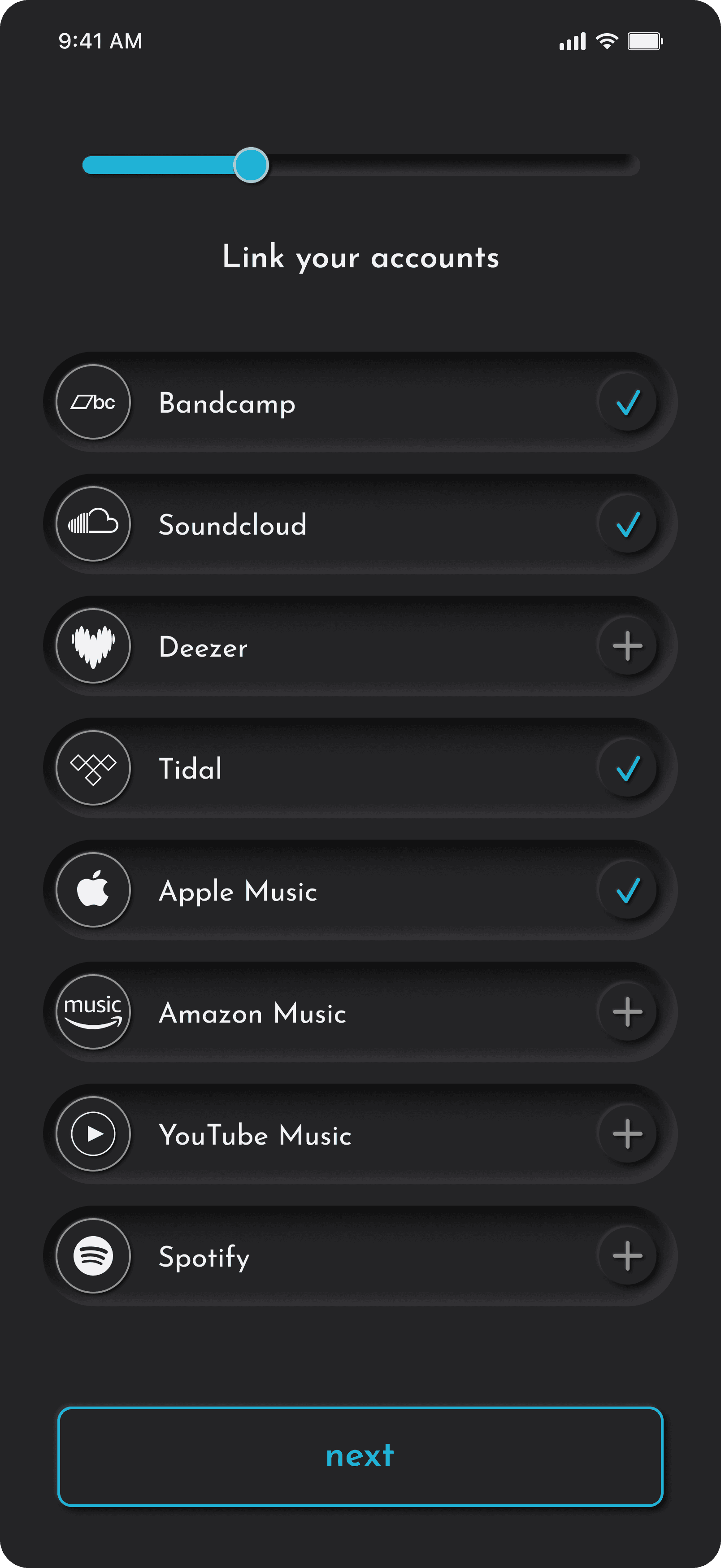
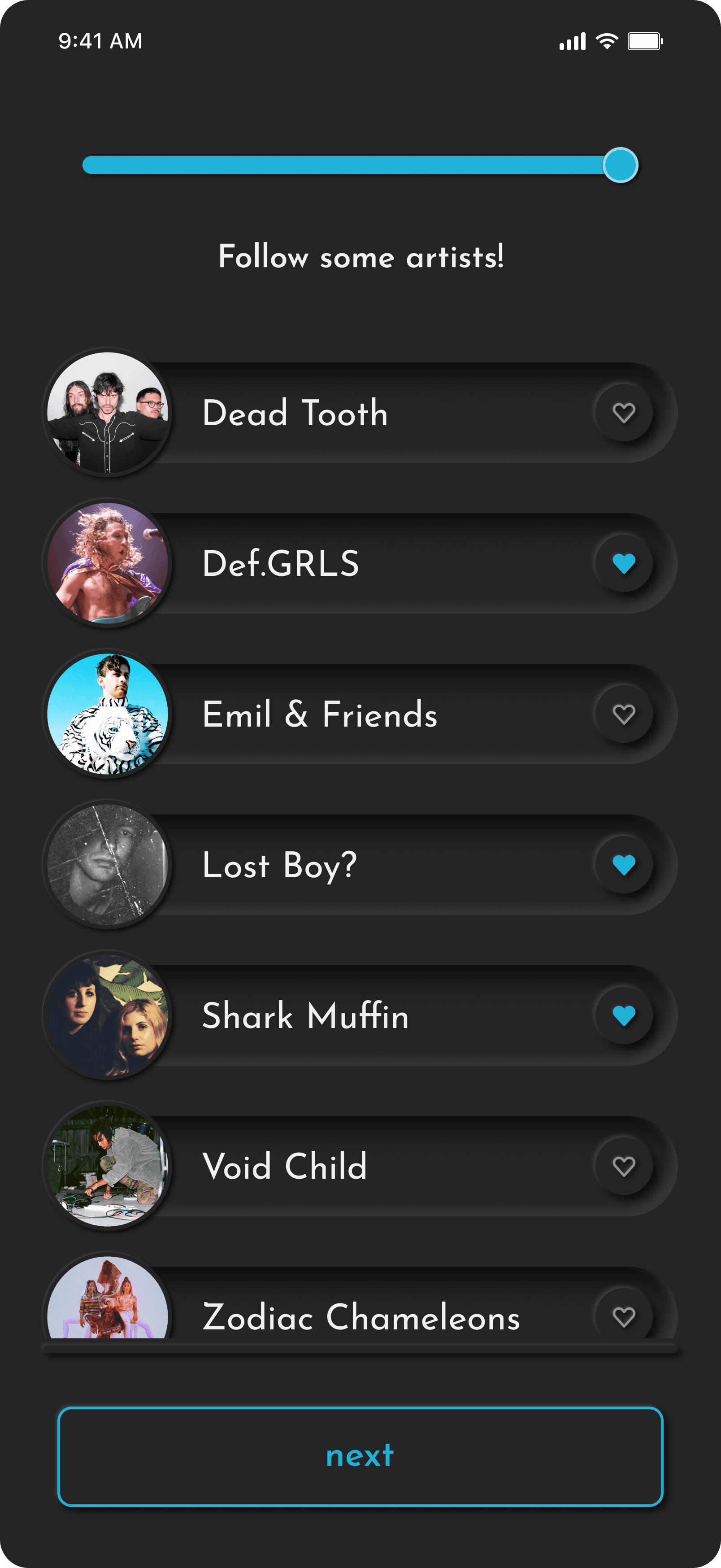
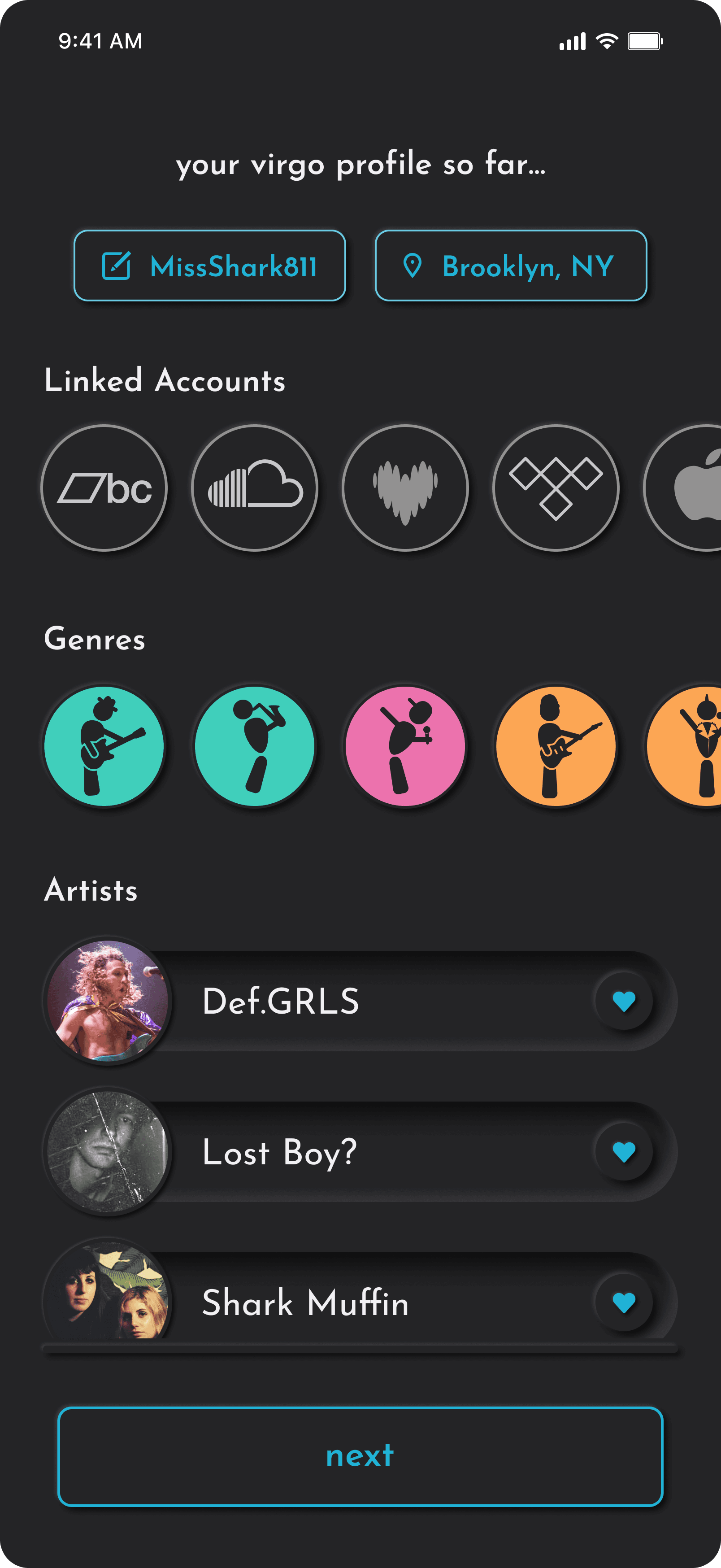
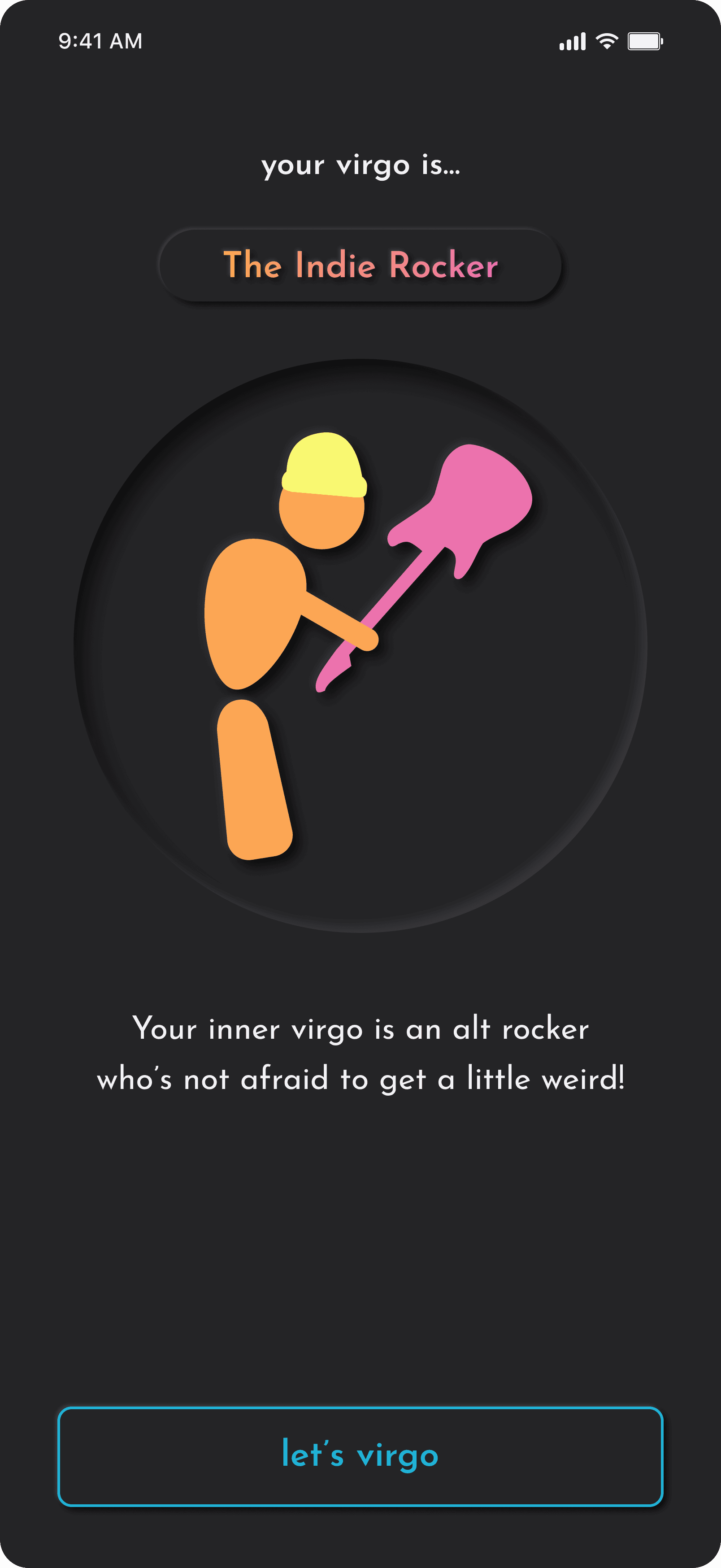
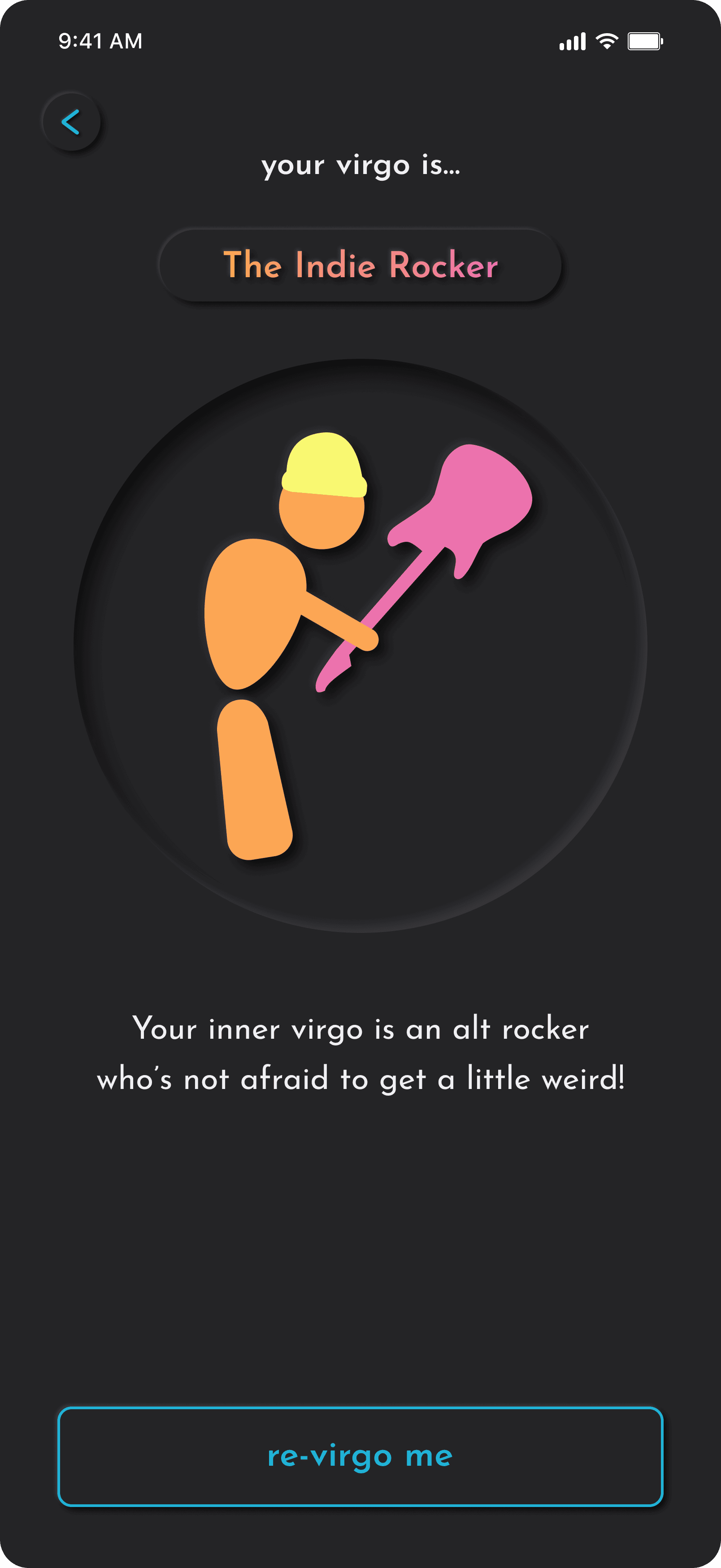
Most apps ask you to trust them before they've done anything to earn it. Virgo's onboarding flips that. Before the feed ever loads, users link their existing streaming accounts, select genres through an illustrated character grid, and follow a curated set of emerging artists — building a taste profile that makes the app genuinely useful from the first session. The sequence closes with a persona reveal, assigning each user a listener archetype that turns a data collection exercise into a moment worth remembering. By the time you hit let's virgo, the app already knows you.
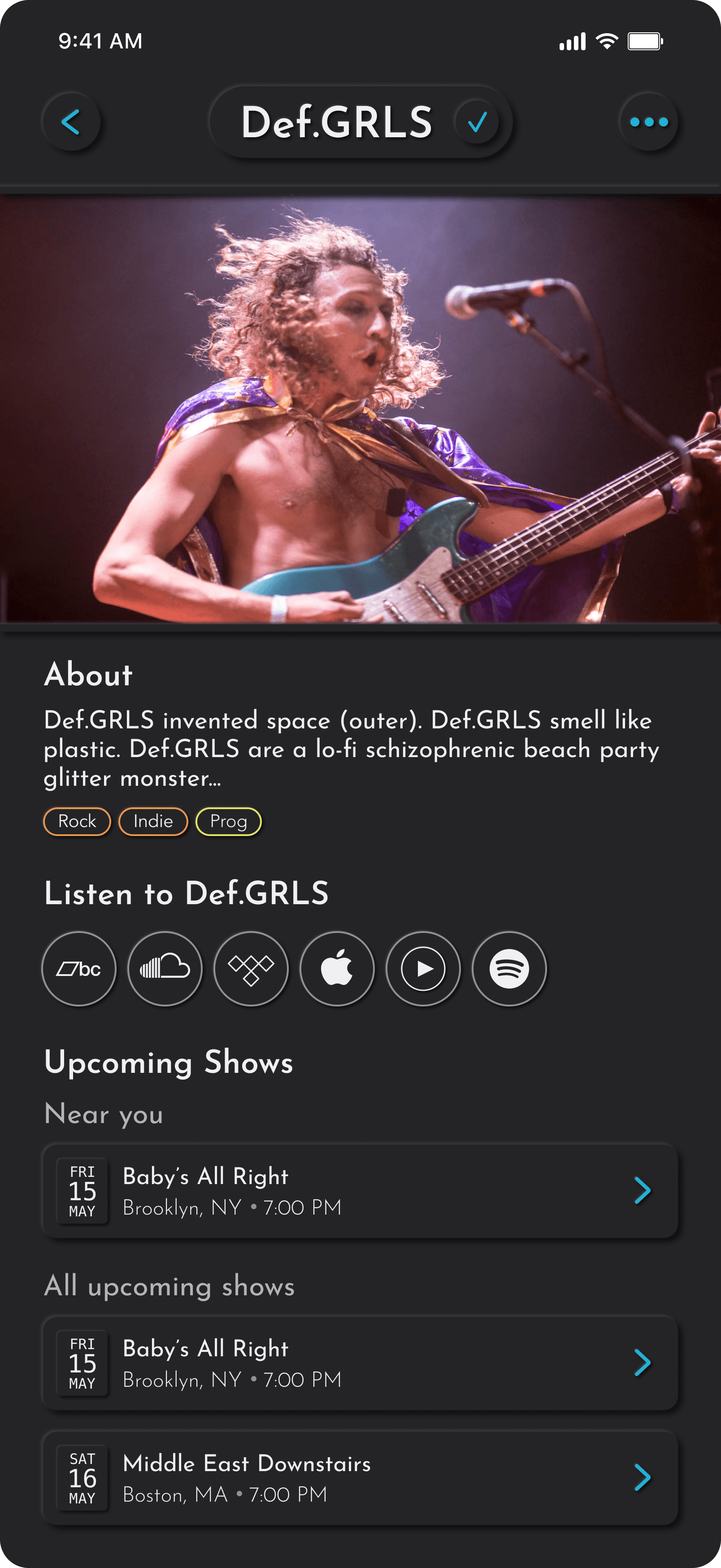
The feed is organized around the artists you follow, the venues you've saved, and artists you haven't discovered yet. It surfaces the right show at the right moment without requiring any active searching. Show cards lead with photography, anchor each event with date, venue, and genre tags, and surface a friends-going count that adds quiet social weight to the decision to go. The location pill at the top is always visible and always adjustable — because discovery without proximity is just a list.
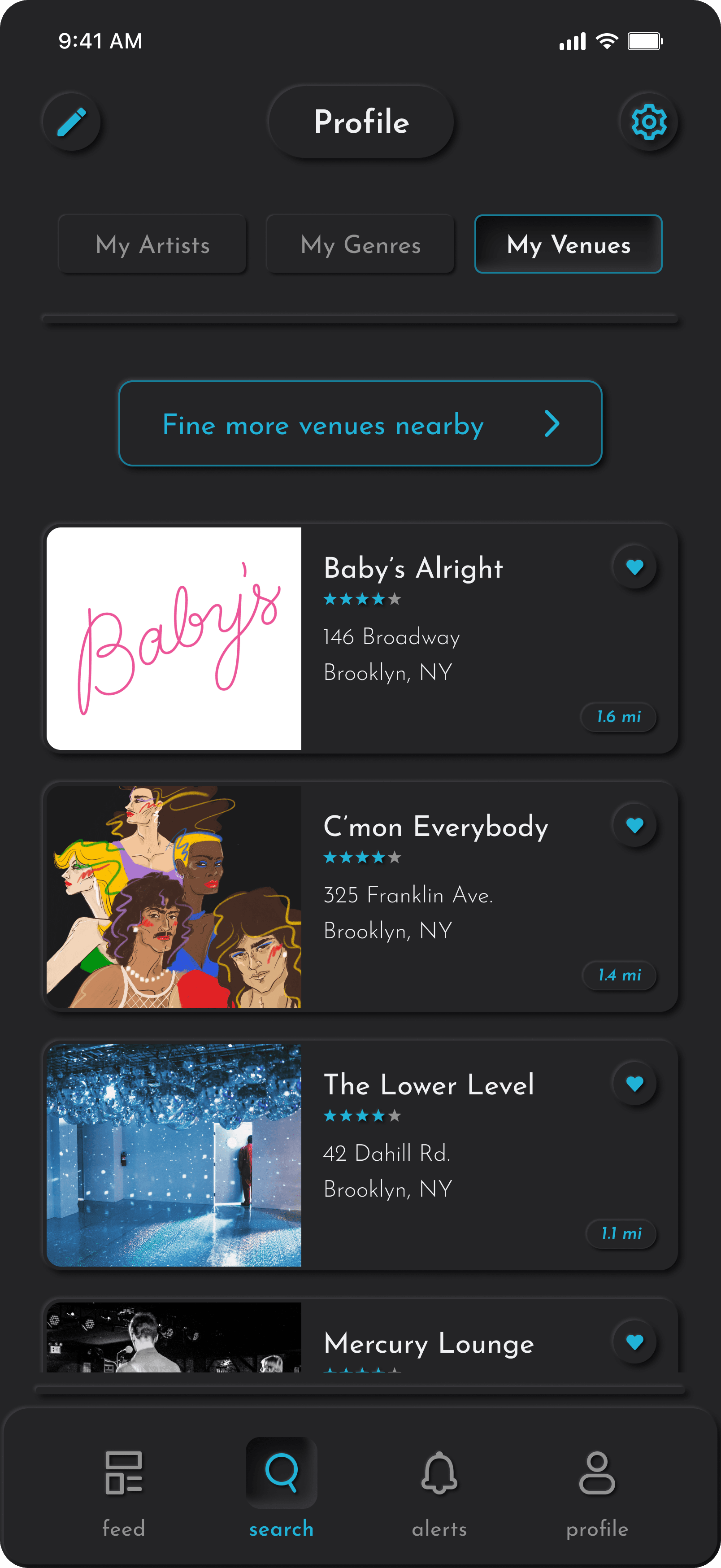
Virgo's search is built for three kinds of intent: you know exactly who you're looking for, you want to see who's playing at a nearby a venue, or you just want to follow a sound and see where it leads. The search hub surfaces all three entry points without forcing a choice — a global search bar at the top, quick-access tiles for venues and artists, and a scrollable genre grid below that carries the same illustrated characters and color coding from onboarding. Tapping into a genre opens a swipeable results view where upcoming shows are listed chronologically, with the genre icon cycling left and right so browsing never requires backtracking. Venue search offers both a list and a map view, treating physical space as a discovery tool in its own right.
The Alerts screen keeps notifications simple and actionable — organized into today and this week, each card tells you exactly what's happening, where, and when without requiring another tap to find out. Artist show alerts and friend RSVPs are distinguished at a glance by the cyan username treatment, while the friends-going count adds just enough social weight to turn an alert into a reason to actually go. Every notification is an invitation.
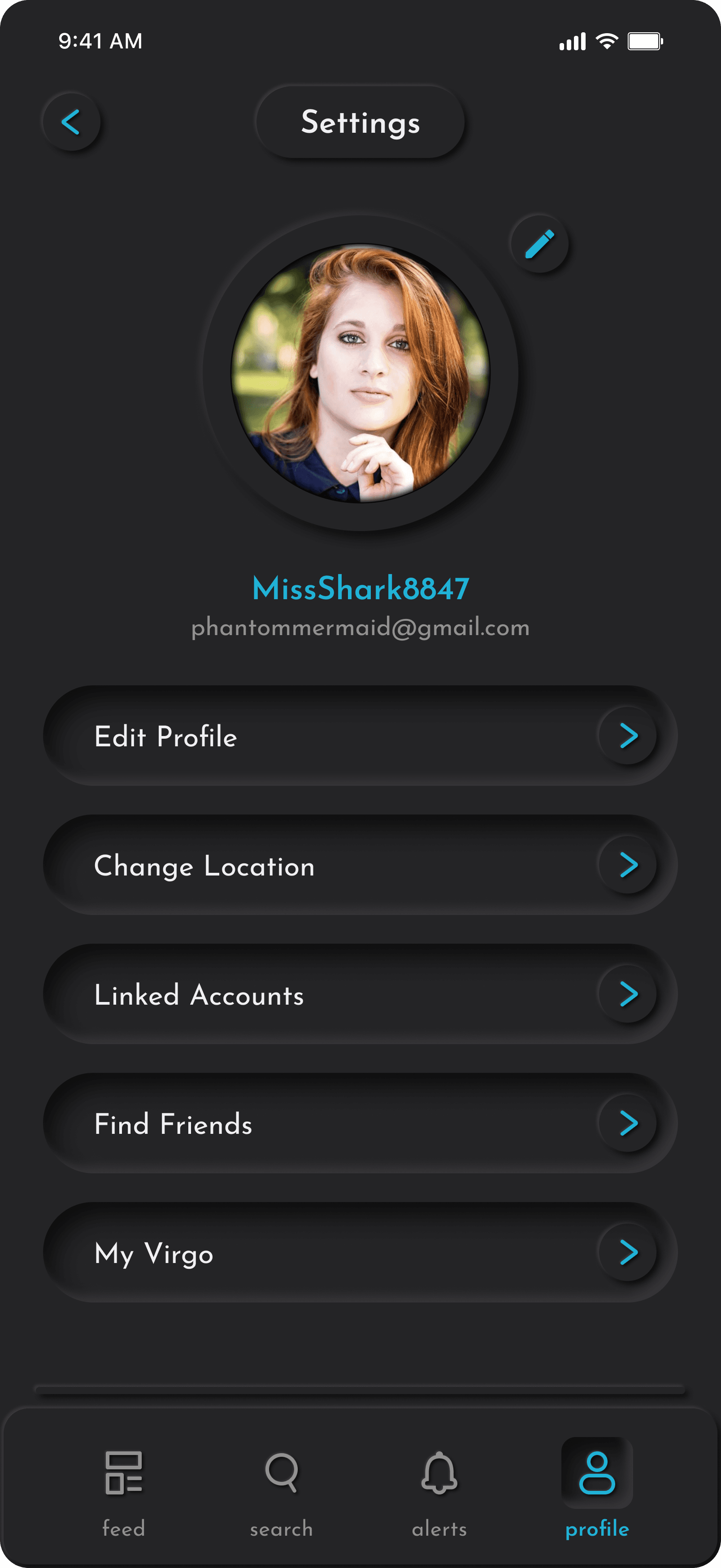
Your Virgo profile is a living record of your taste. Organized across three tabs — Artists, Genres, Venues — it mirrors the logic of the app itself, making it easy to see and manage what's shaping your feed. The genre tab displays your selected characters in full color, editable at any time. The artists tab keeps a persistent nudge to find more, so the profile never feels finished. Settings sit one tap away, housing everything from linked accounts to your Virgo persona — which can be revisited and retaken whenever your taste outgrows it.
Conclusion
Virgo began as a question I couldn't stop asking myself: what would music discovery feel like if the app itself felt like finding something rare? As a former touring musician, I've lived on both sides of that experience — the artist hoping to be heard, and the listener stumbling across a song that rewires something in them. That duality drove every decision in this project. Discovery isn't just a feature; it's a feeling. And the design had to earn it.
That's what drew me to neumorphism as the visual language for Virgo. Where most streaming interfaces are flat, frictionless, and forgettable, neumorphism creates a sense of physical presence — soft shadows that suggest depth, surfaces that feel pressable, controls that respond like something real. For an app about finding artists you've never heard of, that tactility matters. It signals: slow down, explore, this is worth your attention.
The challenge was making that aesthetic work in service of the listener's journey rather than against it. Neumorphism can easily become an obstacle — too subtle to read, too precious to navigate. So the decisions I'm most proud of aren't the ones that look the best; they're the ones that disappear. The hierarchy that surfaces an emerging artist without overselling them. The interaction states that guide without interrupting. The moments where the UI steps back and lets the music do the work.
This was a passion project, but one rooted in a real problem I care about deeply. The artists who deserve to be found often aren't. Virgo is my attempt to close that gap — one intentional design decision at a time.